


unable to setup multiple gmail accounts

I am currently using Thunderbird as a client for a Gmail account. I am trying to add another one but get a message: "server already exists". How do I add the second email account?
Επιλεγμένη λύση
Hi David,
I am still unable to set it up.
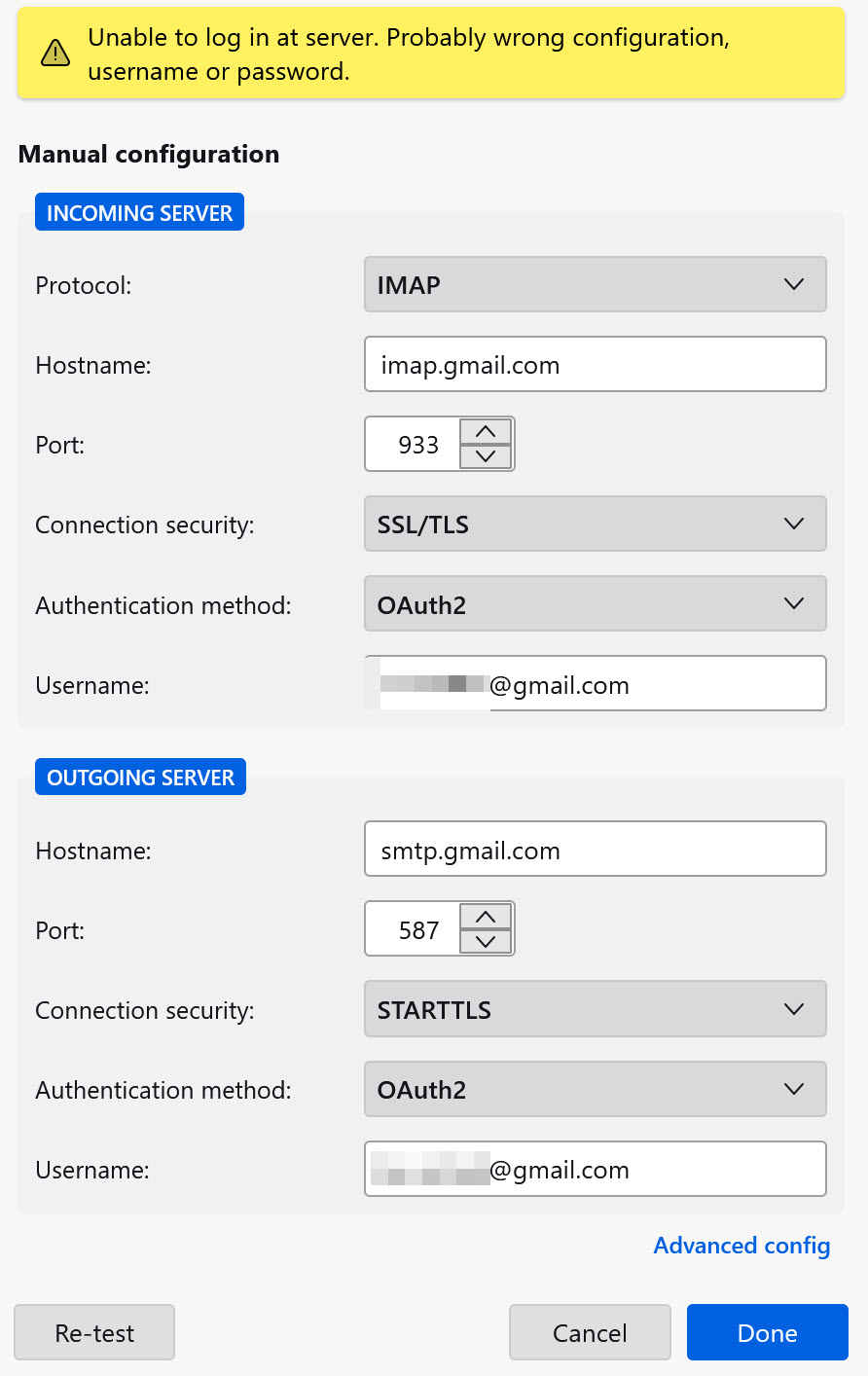
I am using config. as i have for the primary Gmail acct:
INCOMING SERVER
IMAP: imap.gmail.com IMAP port: 933 SSL/TLS Authentication method: OAuth2
OUTGOING SERVER
Hostname; smpt.gmail.com Port 587 Connection security: STARTTLS Authentication method: OAuth2
Προβολή απάντησης εντός συζήτησης 👍 0Όλες οι απαντήσεις (5)
I usually get by this by exiting thunderbird and restarting. Make sure that cookies are accepted at settings>privacy&security
Still experiencing difficulty.
I am using Thunderbird client, not a web browser. The suggestion for clearing cookies does not apply.
david said
I usually get by this by exiting thunderbird and restarting. Make sure that cookies are accepted at settings>privacy&security
Found the cookies setting - Still trouble shooting
Επιλεγμένη λύση
Hi David,
I am still unable to set it up.
I am using config. as i have for the primary Gmail acct:
INCOMING SERVER
IMAP: imap.gmail.com IMAP port: 933 SSL/TLS Authentication method: OAuth2
OUTGOING SERVER
Hostname; smpt.gmail.com Port 587 Connection security: STARTTLS Authentication method: OAuth2
Solved the issue. I went in a deleted the stored passwords. There were two conflicts. Deleted them both and started over. Connection was quick.