Request for adding Duck.ai by DuckDuckGo to AI chatbot Sidebar

Hi, There is this Duck.ai, an AI chatbot frontend, says its more private than using the models directly. It has various LLMs from OpenAI, Anthropic, Mistral, and Meta. DuckDuckGo reduces the information sent to them and requests them not to add your information in their training data.
URL: https://duck.ai/
Can someone please add this to the AI Sidebar Please? Thanks
Όλες οι απαντήσεις (1)
Hello
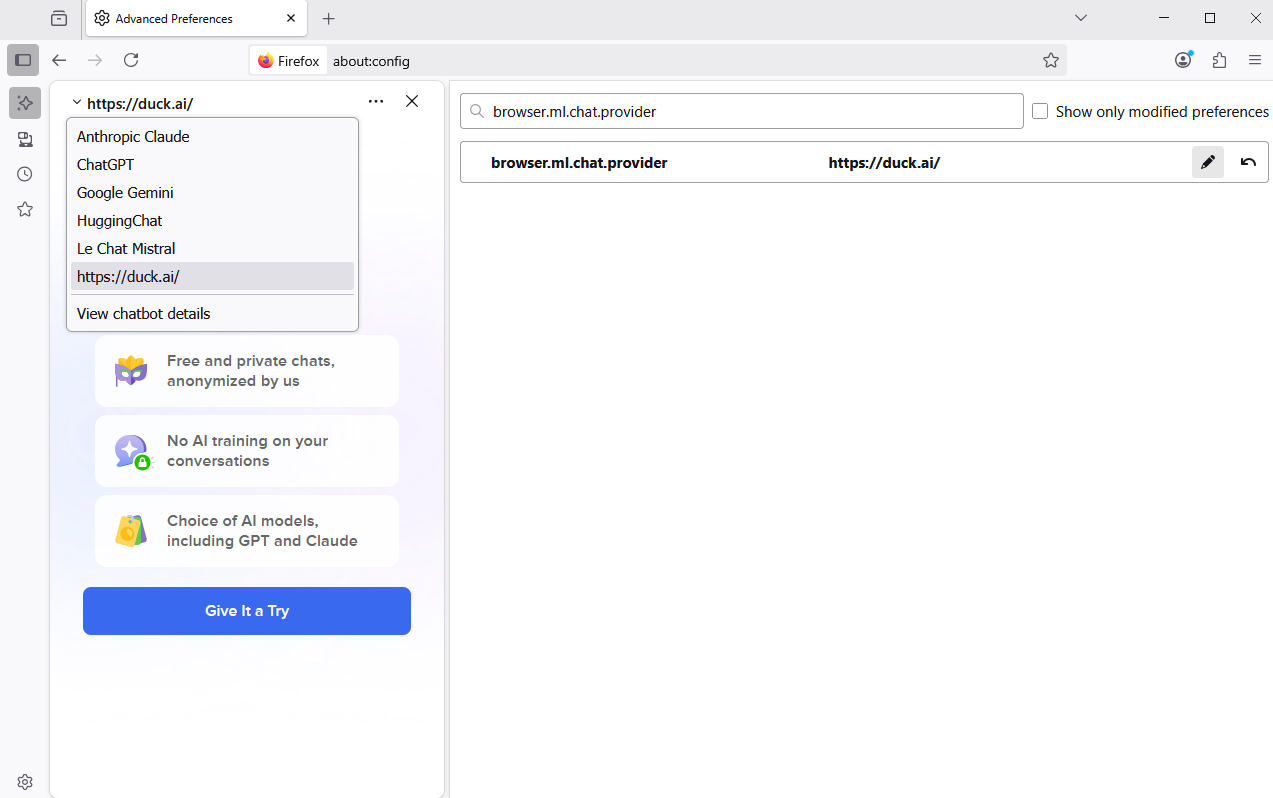
This is possible.
1 - Go to Configuration Editor for Firefox https://support.mozilla.org/en-US/kb/about-config-editor-firefox 2 - Enter a search term browser.ml.chat.provider
But, if the choice is another chat, then browser.ml.chat.provider, is overwritten.
You can try Customize Firefox using policies.json https://support.mozilla.org/en-US/kb/customizing-firefox-using-policiesjson
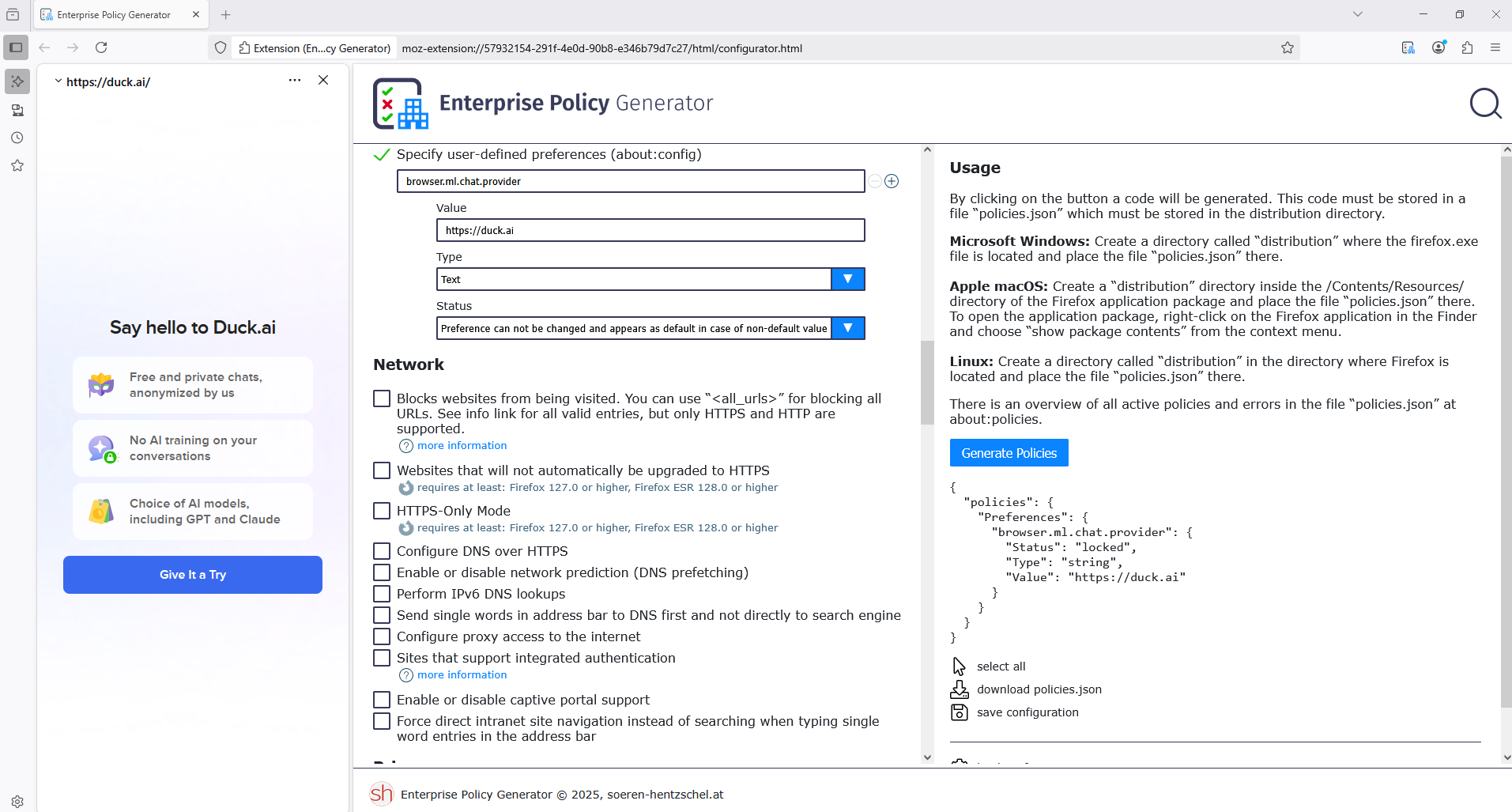
Preferences
The Enterprise Policy Generator https://addons.mozilla.org/firefox/addon/enterprise-policy-generator helps to create the configuration file.
Specify user-defined preferences (about:config)
{ "policies": { "Preferences": { "browser.ml.chat.provider": { "Status": "locked", "Type": "string", "Value": "https://duck.ai" } } } }
Copy/paste the code into Notepad Save Type: All files policies.json
Create the distribution folder Move policies.json to the distribution folder Move the distribution folder to the folder where Firefox is installed
Use the Troubleshooting Information page to help fix Firefox issues https://support.mozilla.org/en-US/kb/use-troubleshooting-information-page-fix-firefox
Application Binary: Shows where Firefox is installed.
Restart Firefox
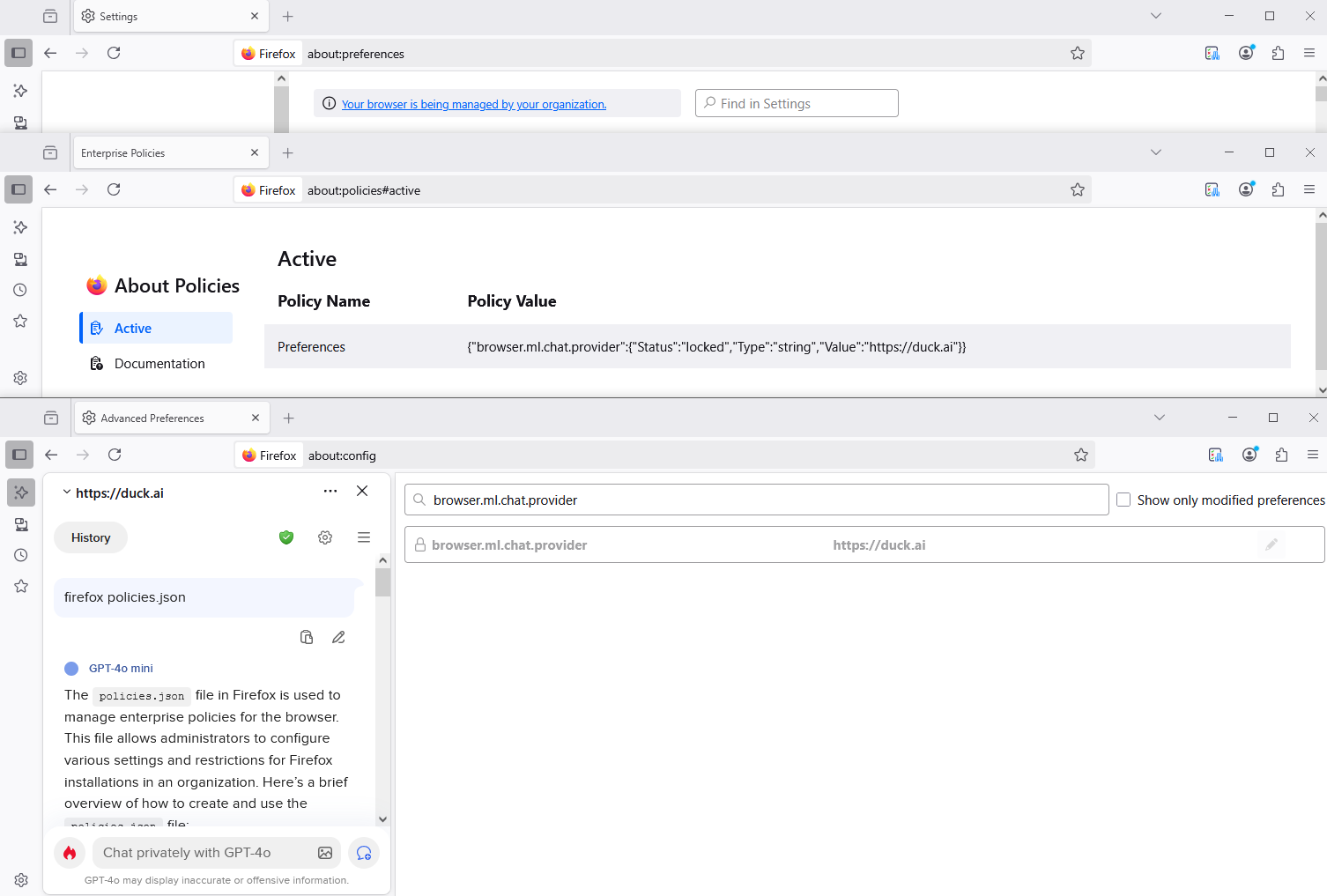
Your browser is being managed by your organization, that's normal.
Use the Troubleshooting Information page to help fix Firefox issues
Enterprise Policies: This shows you if your browser is being managed by Windows Group Policy or a policies.json file. If enterprise policies are managing Firefox, clicking on Active will show you a list of the policies that are currently active on Firefox.