


Bookmark Sidebar

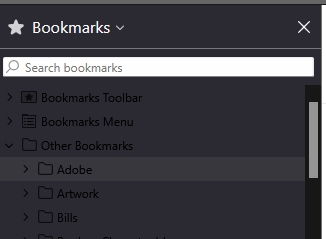
I installed the new 140 update, and now when I open the bookmark sidebar, the "Search bookmarks" field is highlighted, and the entire list of bookmarks is darkened to the point that it's pretty much unreadable. This was never the case before. I NEVER use the 'search bookmarks' function. My bookmarks are organized into folders and sorted alphabetically. How can I undo this setting so the sidebar looks like it used to?
Thanks!
Επιλεγμένη λύση
Hello again,
The issue should be fixed with the 140.0.1 release. Please update your Firefox and let us know how it goes!
Προβολή απάντησης εντός συζήτησης 👍 1Όλες οι απαντήσεις (3)
Hello,
If you are using certain dark themes now, you may experience issues with text contrast in the sidebar.
A workaround is to use the built-in dark theme or the system theme.
This is tracked under bug 1971487 and a fix will follow in a later release.
Επιλεγμένη λύση
Hello again,
The issue should be fixed with the 140.0.1 release. Please update your Firefox and let us know how it goes!
Thank you - all fixed now!