


Map graphics bug report

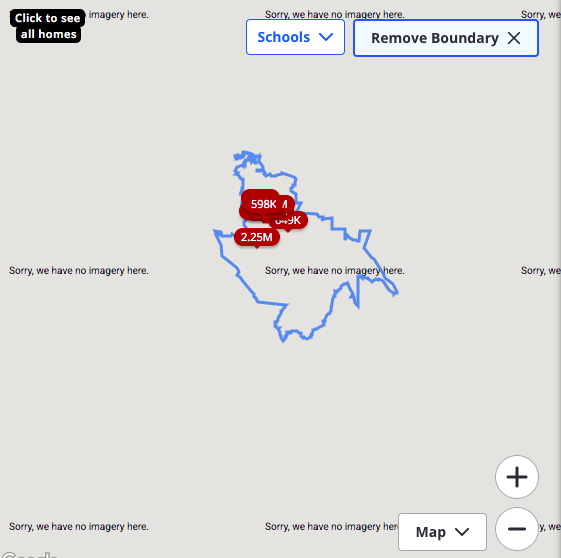
My MacOS is 10.13.6 (cannot go higher on this machine). Since update to 15.119.0esr, embedded map graphics are no longer showing. The map graphic sub-window instead shows "Sorry, we have no imagery here" in several places across the map. I am getting the same for multiple websites, including the location maps in Zillow.com . Google Maps works fine, and I think the problem is isolated to maps embedded in pages. Did not have this issue last week, prior to updating to 15.119.0esr. This is SO BAD that if it's not fixable, I want to revert to 15.118...
Glenn Schaffer Email removed for privacy
Τροποποιήθηκε στις από τον/την NoahSUMO
Όλες οι απαντήσεις (2)

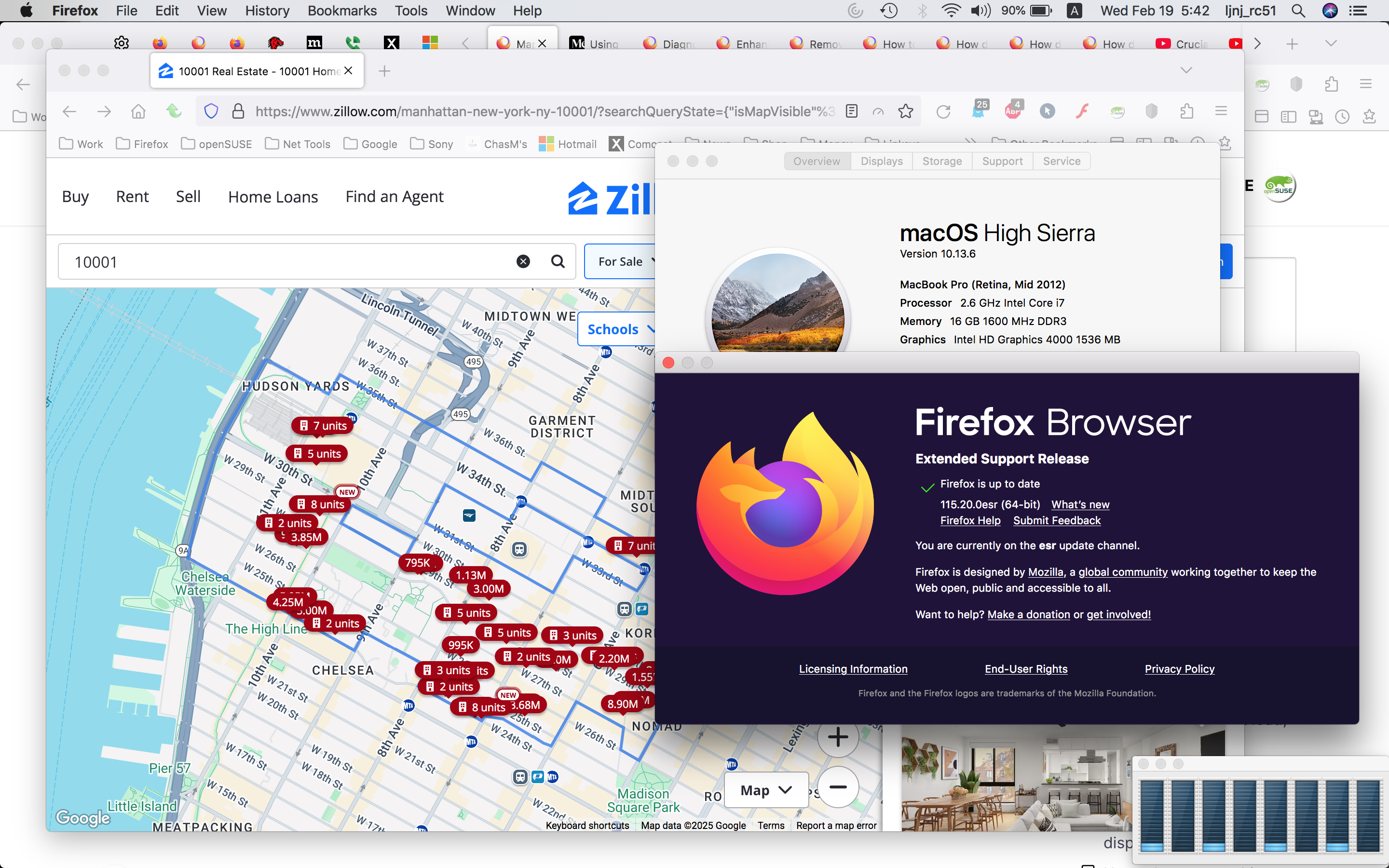
I have a macbook pro running the same OS. Let me see...
Here's what I see just using a random zip 10001. see screenshot Do you have the same issue with Firefox in Troubleshoot Mode? https://support.mozilla.org/en-US/kb/diagnose-firefox-issues-using-troubleshoot-mode#w_how-to-start-firefox-in-4troubleshoot-modesf5safe-modesf
Did you try clearing the browser cache? https://support.mozilla.org/en-US/kb/how-clear-firefox-cache#
Τροποποιήθηκε στις από τον/την jonzn4SUSE