


How to stop prompts for location permission when turned off by admin?

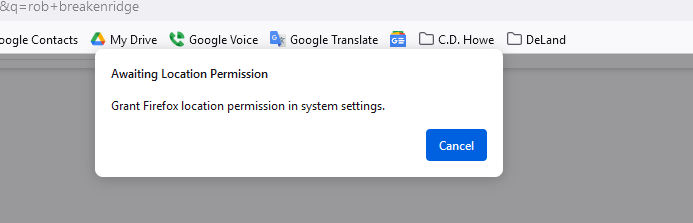
Hi, I just installed Windows 11, version 24H2 and now in Firefox I'm continually prompted with "Awaiting Location Permission, Grant Firefox location permission in system settings".
The problem that location has been turned off by admin on this computer. How can I stop these continual prompts from Firefox? I have checked the box in Settings to block location requests from new websites but am still getting the prompts.
Thank you.
Επιλεγμένη λύση
Maybe disable geo location in Firefox. See the geo prefs in about:config.
- about:config => geo.enabled => false
- https://support.mozilla.org/en-US/kb/about-config-editor-firefox
Όλες οι απαντήσεις (7)

How can you install and then get blocked by Admin permission?
I'm not sure I understand. The Windows update was installed automatically, and Firefox was installed before that. This behavior is new and only started after the Windows update.
So whom is the Admin on the computer? Anything with Admin most likely has password protection that needs to be entered before anyone can install or do anything permitted.
it's a corporate laptop, so IT policy/IT administrator controls things. I could get in touch with them, but wondered if there was anything I could do on the user side first.
Hi
This is something that your corporate IT team should be able to help you with.
Επιλεγμένη λύση
Maybe disable geo location in Firefox. See the geo prefs in about:config.
- about:config => geo.enabled => false
- https://support.mozilla.org/en-US/kb/about-config-editor-firefox
Thanks, this seems to have stopped the prompts! Talked with our IT folks and they couldn't immediately figure out the underlying Windows issue, but this helps for now. Much appreciated.