


Imorting MSF into Thunderbird on Win 10

I have asked this question before. In my backup of a previous Thunderbird version things went wrong and all I could find were the MSF combo. ie... MSF and File. I was told I could not extract any messages out of this file combination.
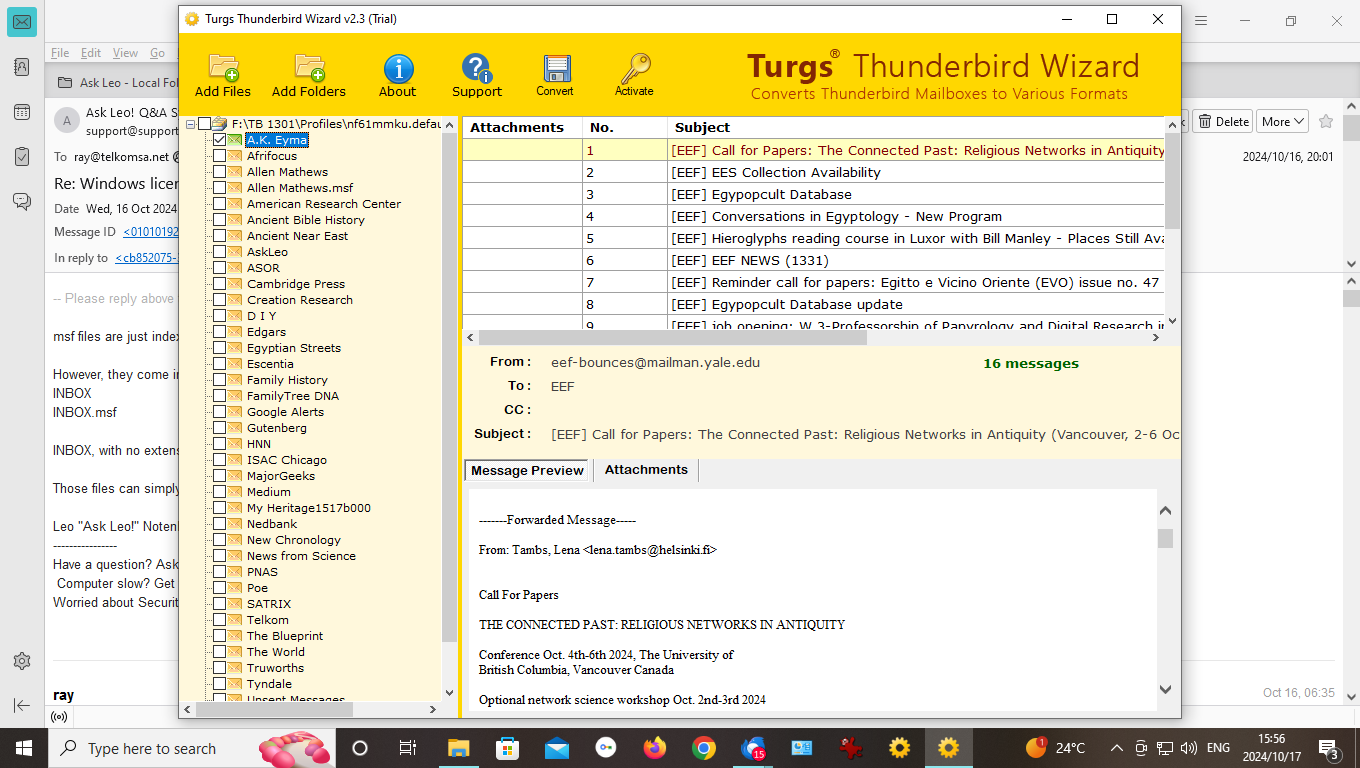
I then loaded Turgs a 3rd party programme.
See the results of using this programme in the attachement.
In view of this, I need to know how to get these folders into my nesw Thunderbird installation. The programme gives the option of converting the MSF files into MBOX files.
There is not a help file so I'm trying to figure out how to send the converted files MBOX to my new Thunderbird installation.
Επιλεγμένη λύση
First, the msf file is just an index and not needed. Thunderbird will rebuild as soon as it opens the message file. The easy way, if you're comfortable with Windows File Explorer, is this:
- exit thunderbird if running
- copy the message file to the Mail\Local Folders folder in the profile
- restart thunderbird
If you do not know where the profile is then
- click help>troubleshootinginformation
- scroll down left side to 'profile folder' and click 'open folder'
- exit thunderbird, you are now in the profile and the Mail folder will be visible. Click that and then click 'Local Folders' and copy your message files there,
Όλες οι απαντήσεις (3)
Επιλεγμένη λύση
First, the msf file is just an index and not needed. Thunderbird will rebuild as soon as it opens the message file. The easy way, if you're comfortable with Windows File Explorer, is this:
- exit thunderbird if running
- copy the message file to the Mail\Local Folders folder in the profile
- restart thunderbird
If you do not know where the profile is then
- click help>troubleshootinginformation
- scroll down left side to 'profile folder' and click 'open folder'
- exit thunderbird, you are now in the profile and the Mail folder will be visible. Click that and then click 'Local Folders' and copy your message files there,
Many thanks for your help
I was glad to assist.