


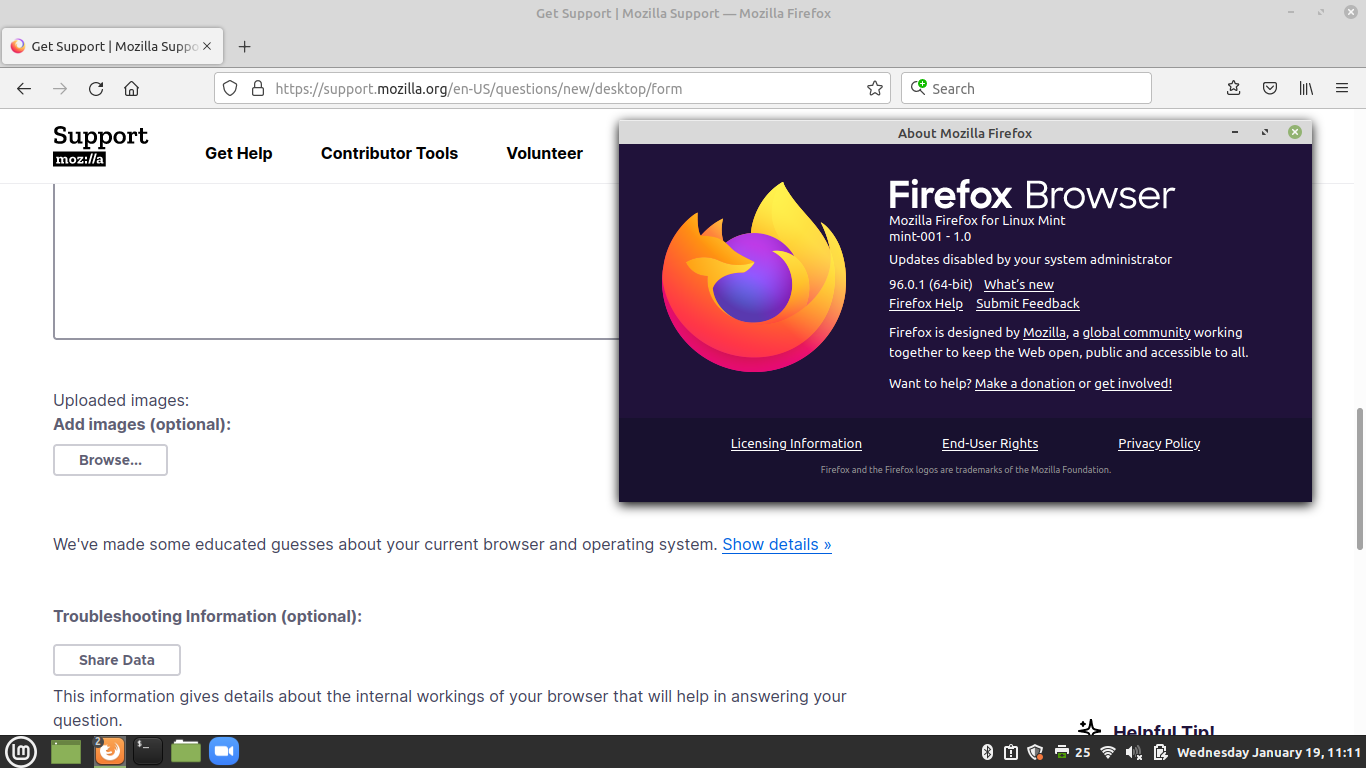
My Firefox says: "your system administrator deactivated updates", but he (myself) didn´t. How to fix that?

My Firefox says: "your system administrator deactivated updates", but he (myself) didn´t. How to fix that on Linux Mint and Raspberry Pi OS?
My Firefox says: "your system administrator deactivated updates", but he (myself) didn´t. How to fix that on Linux Mint and Raspberry Pi OS?
Επιλεγμένη λύση
Please read https://blog.linuxmint.com/?p=4259
Firefox cannot handle its own updates. It doesn’t know how to check the repositories and doesn’t have admin privileges anyway. In Linux Mint this is the job of the Update Manager so Firefox is told not to handle updates. In the past, this was done via code changes. We (mint devs) patched Firefox not to do it and not to show any warning about it. This is how it is in Debian and Ubuntu as well. With this transition this is done via a policy file, i.e. via system-wide configuration. Firefox shows the following messages in the preferences and in the about dialog as a result: Your browser is being managed by your administration Updates disabled by system administrator These messages can be quite confusing, especially the first one. Please ignore them for now. We’ll be reporting the issue to get it fixed upstream.Προβολή απάντησης εντός συζήτησης 👍 1
Όλες οι απαντήσεις (1)
Επιλεγμένη λύση
Please read https://blog.linuxmint.com/?p=4259
Firefox cannot handle its own updates. It doesn’t know how to check the repositories and doesn’t have admin privileges anyway. In Linux Mint this is the job of the Update Manager so Firefox is told not to handle updates. In the past, this was done via code changes. We (mint devs) patched Firefox not to do it and not to show any warning about it. This is how it is in Debian and Ubuntu as well. With this transition this is done via a policy file, i.e. via system-wide configuration. Firefox shows the following messages in the preferences and in the about dialog as a result: Your browser is being managed by your administration Updates disabled by system administrator These messages can be quite confusing, especially the first one. Please ignore them for now. We’ll be reporting the issue to get it fixed upstream.