


Links and some letters are suddenly always underlined when they weren't before?

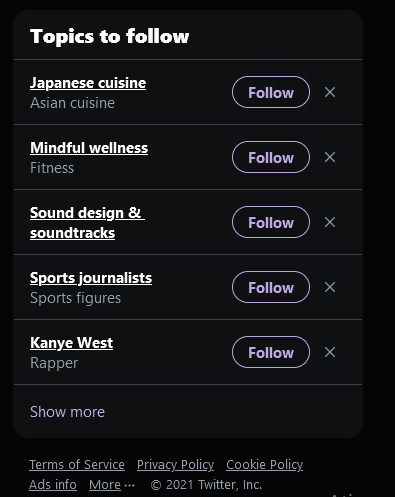
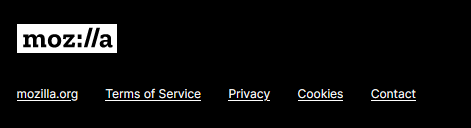
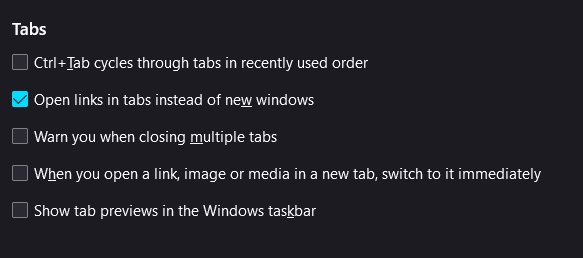
This happened a few minutes ago. I was on Twitter and suddenly all the links there were underlined. That happens on this website as well. I went on Firefox settings to uncheck "Underlined links" box, they are still underlined, and specifically in the Firefox settings website, random letters were underlined when they weren't before, they do not lead to any links though. The underlined links take me to the right location. This doesn't happen in other websites such as Tumblr or Youtube for some reason.
I thought it could be a malware, this happened right after I downloaded an app called Rave to my PC. However I searched for info on the app and if it's malicious and I've only heard good things about it. Uninstalled it from my PC just in case and nothing changed. I searched for answers and saw people saying the link stuff could be an adware but the links take me to the right location, I ran Malwarebytes and it didn't detect anything, nor is anything called "Text Enhance" downloaded to my PC. Running another antivirus scan right now.
I have no idea what this could be. It's not giving me any serious problems, it's not showing me any suspicious links. It just looks unpleasant and annoying. No idea what this could be. Please help. Added a few example images.
Όλες οι απαντήσεις (3)
Hmm, I feel like it's normal for links to be underlined. Websites can modify the link styling to override the underline and the standard colors.
On this page, most of the links are not underlined, but the ones along the bottom look the same for me as for you.
I can't speak to what is normal for Twitter when you are logged in; I don't log in through a browser (use the mobile app instead).
I will add that sometimes sites update their styles and Firefox uses old styles from its cache, so you could flush out the web content cache to bypass that issue, if it happens to be the source of the problem.
How to clear the Firefox cache (just cached web content, not all site data)
See also "Underline links":
- Settings -> General: Fonts & Colors -> Colors
- https://support.mozilla.org/en-US/kb/firefox-Options-preferences-and-settings