


Join us to show up for other Firefox users 🦊. Earn fun badges and Mozilla swag vouchers! Find out more: https://mzl.la/askafox150

Windows 10 reached EOS (end of support) on October 14, 2025. If you are on Windows 10, see this article.

Αναζήτηση στην υποστήριξη

Προσοχή στις απάτες! Δεν θα σας ζητήσουμε ποτέ να καλέσετε ή να στείλετε μήνυμα σε κάποιον αριθμό τηλεφώνου ή να μοιραστείτε προσωπικά δεδομένα. Αναφέρετε τυχόν ύποπτη δραστηριότητα μέσω της επιλογής «Αναφορά παραβίασης».

Μάθετε περισσότερα

Αυτό το νήμα αρχειοθετήθηκε. Κάντε νέα ερώτηση αν χρειάζεστε βοήθεια.

Firefox showing a different language/characters?

  • 1 απάντηση
  • 1 έχει αυτό το πρόβλημα
  • 205 προβολές
  • Τελευταία απάντηση από cor-el
  • Αρχειοθετήθηκε

A few weeks I started having a issue where some websites show text/characters other than English. It's not all websites or even the full page and if i copy and paste the text into a text editor it shows up as English.

Wikipedia for example
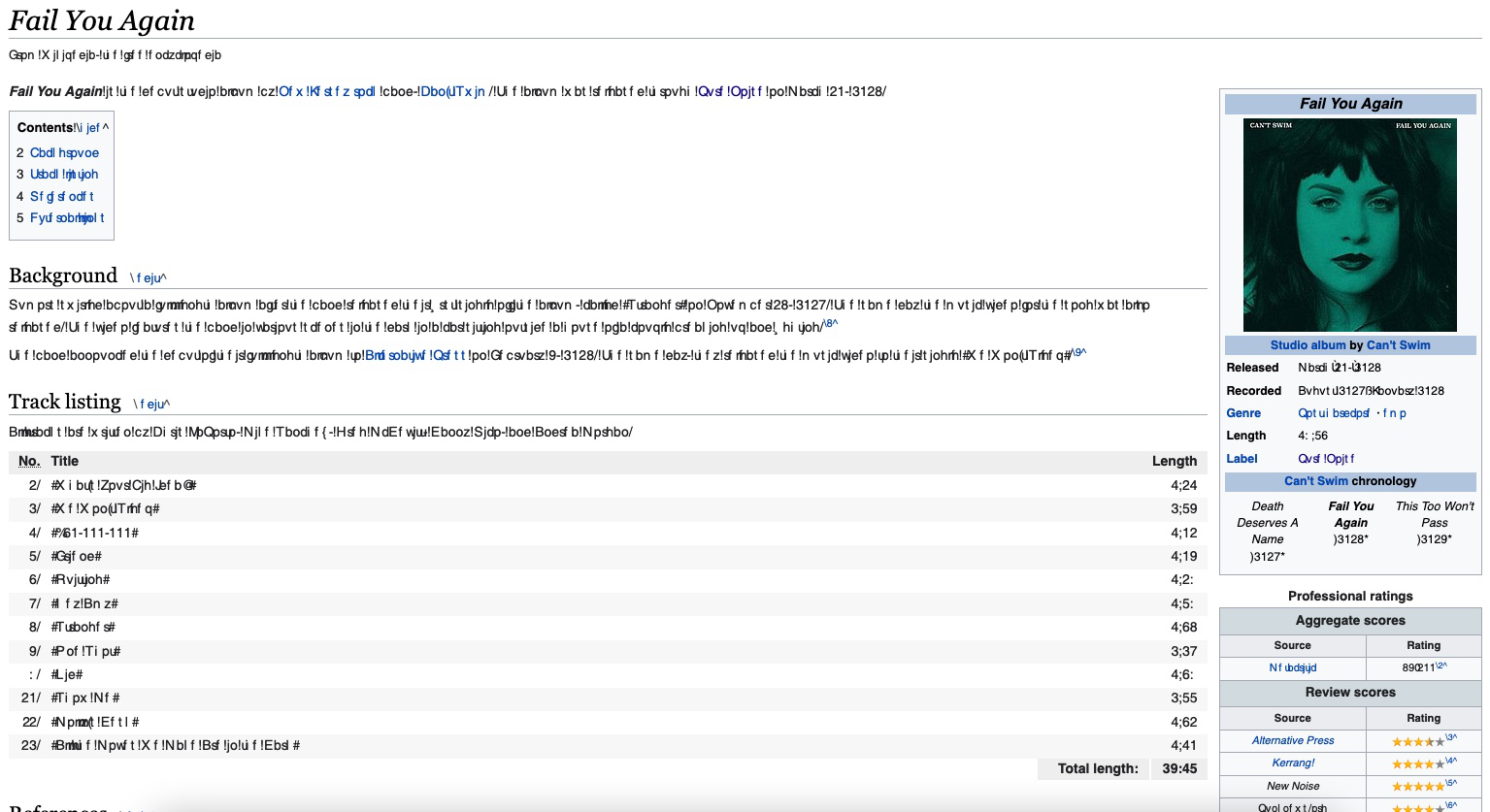
A few weeks I started having a issue where some websites show text/characters other than English. It's not all websites or even the full page and if i copy and paste the text into a text editor it shows up as English. Wikipedia for example
Συνημμένα στιγμιότυπα

Τροποποιήθηκε στις από τον/την ian126

Όλες οι απαντήσεις (1)

This can be caused by corrupted font that Firefox replaces by another font.

You can check in Font Book for font issues like corrupted and duplicate fonts.


You can right-click and select "Inspect Element" to open the builtin Inspector with this element selected.

You can check in the Rules tab in the right panel in the Inspector what font-family is used for selected text. You can check in the Font tab in the right panel in the Inspector what font is actually used because Firefox might be using a different font than specified by the website.