


can't scroll on Boliga.dk map

I can't scroll on this map, https://www.boliga.dk/kortsoegning?page=1&pageSize=50&latMin=54,460495492852736&latMax=57,74292363336097&lonMin=6,954492588523085&lo
There support said I should change browser, but I really want to keep Firefox, please help
Επιλεγμένη λύση
Glad to hear that. Please mark your question as "Solved".
Όλες οι απαντήσεις (13)
Scrolling works for me.
Try Firefox Safe Mode to see if the problem goes away. Firefox Safe Mode is a troubleshooting mode that temporarily turns off hardware acceleration, resets some settings, and disables add-ons (extensions and themes).
- Click the menu button
 , click Help
  and select Restart with Add-ons Disabled.
When the Firefox Safe Mode window appears, select "Start in Safe Mode".
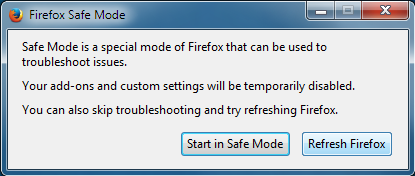
If the issue is not present in Firefox Safe Mode, your problem is probably caused by an extension, theme, or hardware acceleration. Please follow the steps in the Troubleshoot extensions, themes and hardware acceleration issues to solve common Firefox problems article to find the cause.
To exit Firefox Safe Mode, just close Firefox and wait a few seconds before opening Firefox for normal use again.
When you figure out what's causing your issues, please let us know. It might help others with the same problem.
Tried restart without add-ons - what a shame, there is no difference :-( Would be interesting to hear if other Firefox users can scroll around in the map from this link
Τροποποιήθηκε στις από τον/την Helle
This panning is done via JavaScript, so make sure that you do not block JavaScript.
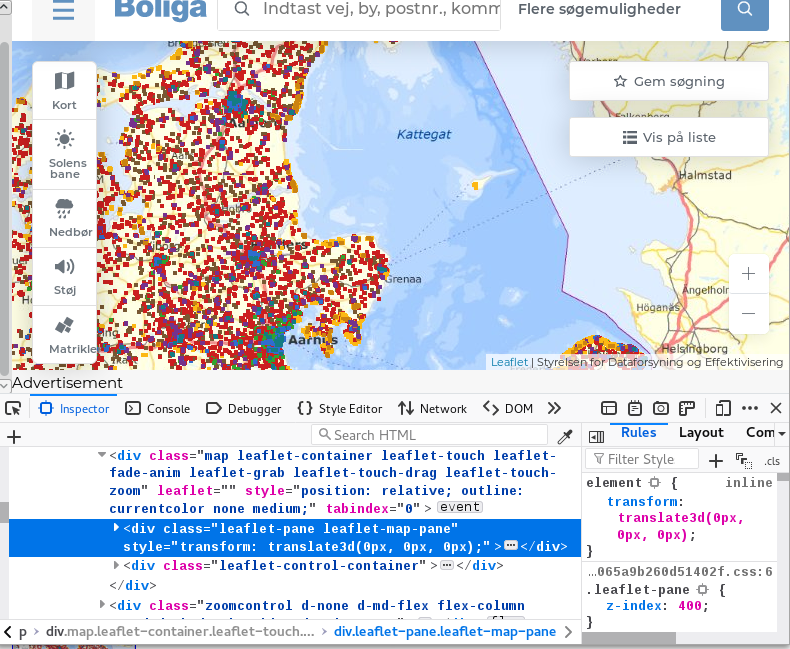
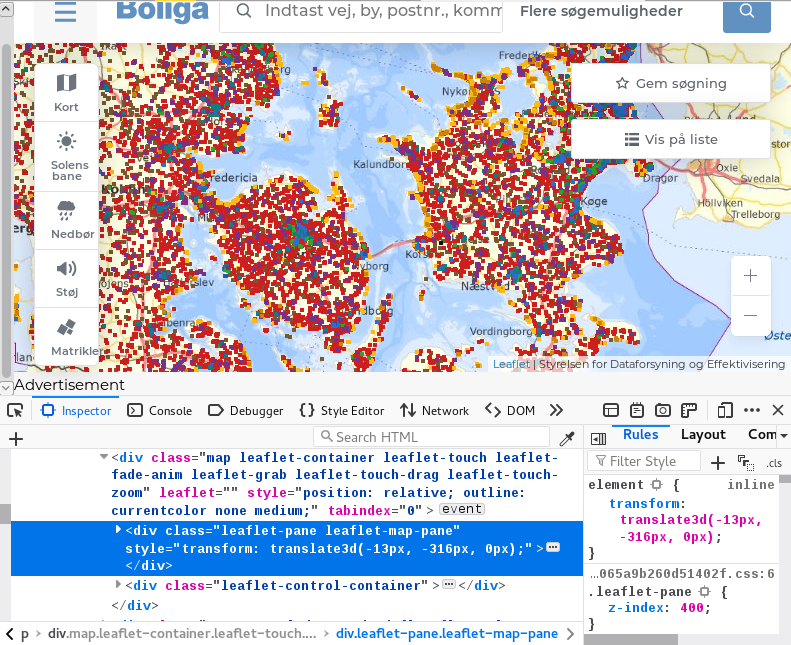
Can you please tell me how do I see whether or not I block Javascript? I haven't done anything, I believe, to block anything from their site
regards Helle
Ahh, found this on youtube https://www.youtube.com/watch?v=WAbyi3Jbd6k
And i have JavaScript on
JavaScript is usually enabled by default. When it isn't working then a likely cause is a content blocking extension, but you already checked this via Firefox Safe Mode.
You can remove all data stored in Firefox from a specific domain via "Forget About This Site" in the right-click context menu of an history entry ("History -> Show All History" or "View -> Sidebar -> History").
Using "Forget About This Site" will remove all data stored in Firefox from this domain like history and cookies and passwords and exceptions and cache, so be cautious. If you have a password or other data from that domain that you do not want to lose then make sure to backup this data or make a note.
You can't recover from this 'forget' unless you have a backup of involved files.
If you revisit a 'forgotten' website then data from that website will be saved once again.
Before I try the above, can somebody please tell me if they have been successful scrolling the map from this link using the latest Firefox, please... That would be a huge help for me to know
https://www.boliga.dk/kortsoegning?page=1&pageSize=50
regards Helle
Τροποποιήθηκε στις από τον/την Helle
Scrolls perfectly for me on that link. Sorry I can't help otherwise.
thank you Allan.... I am getting frustrated. My Firefox simply WON'T - *lol
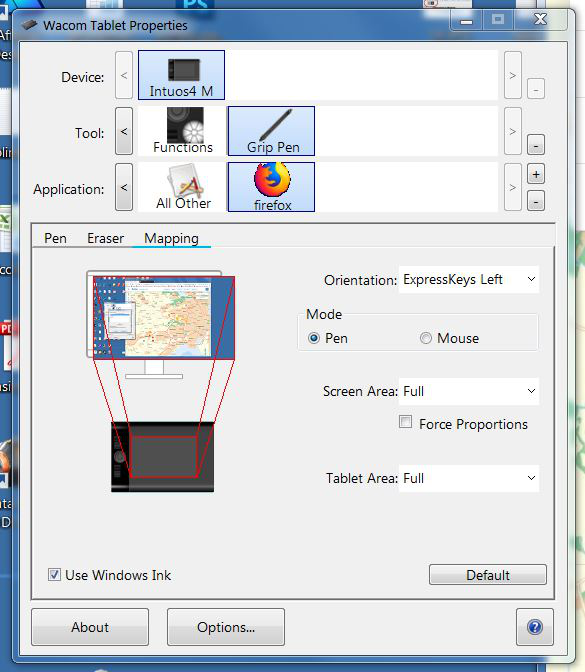
Ahhhh, I just tried using an ordinary mouse and now it can??? I use a Wacom Intious pen and have for the last 10-12 years, never a mouse. What the heck is happening? Anybody with a Wacom pen having this issue?
Helle said
Before I try the above, can somebody please tell me if they have been successful scrolling the map from this link using the latest Firefox, please... That would be a huge help for me to know https://www.boliga.dk/kortsoegning?page=1&pageSize=50
Hello Helle,
I couldn't scroll untill I disabled AdBlock Plus on that site - I don't use a mouse, just my touchpad and/or touchscreen .....
Okay. I think I solved it.. https://www.youtube.com/watch?v=v6SFw7A_Uok
I know this is for Chrome, but it seems to also work for Firefox. Pyhhh what a nightmare
I hate "windows ink" bubbles, makes the pen look like something from a kindergarten, but in Firefox I will have to "live with it" - it seems
Επιλεγμένη λύση
Glad to hear that. Please mark your question as "Solved".