Windows 10 reached EOS (end of support) on October 14, 2025. For more information, see this article.

Αναζήτηση στην υποστήριξη

Προσοχή στις απάτες! Δεν θα σας ζητήσουμε ποτέ να καλέσετε ή να στείλετε μήνυμα σε κάποιον αριθμό τηλεφώνου ή να μοιραστείτε προσωπικά δεδομένα. Αναφέρετε τυχόν ύποπτη δραστηριότητα μέσω της επιλογής «Αναφορά παραβίασης».

Μάθετε περισσότερα

Αυτό το νήμα αρχειοθετήθηκε. Κάντε νέα ερώτηση αν χρειάζεστε βοήθεια.

how can i set keyboard shortcuts to activate an add on?

  • 3 απαντήσεις
  • 1 έχει αυτό το πρόβλημα
  • 10 προβολές
  • Τελευταία απάντηση από Jacob Baxter

περισσότερες επιλογές

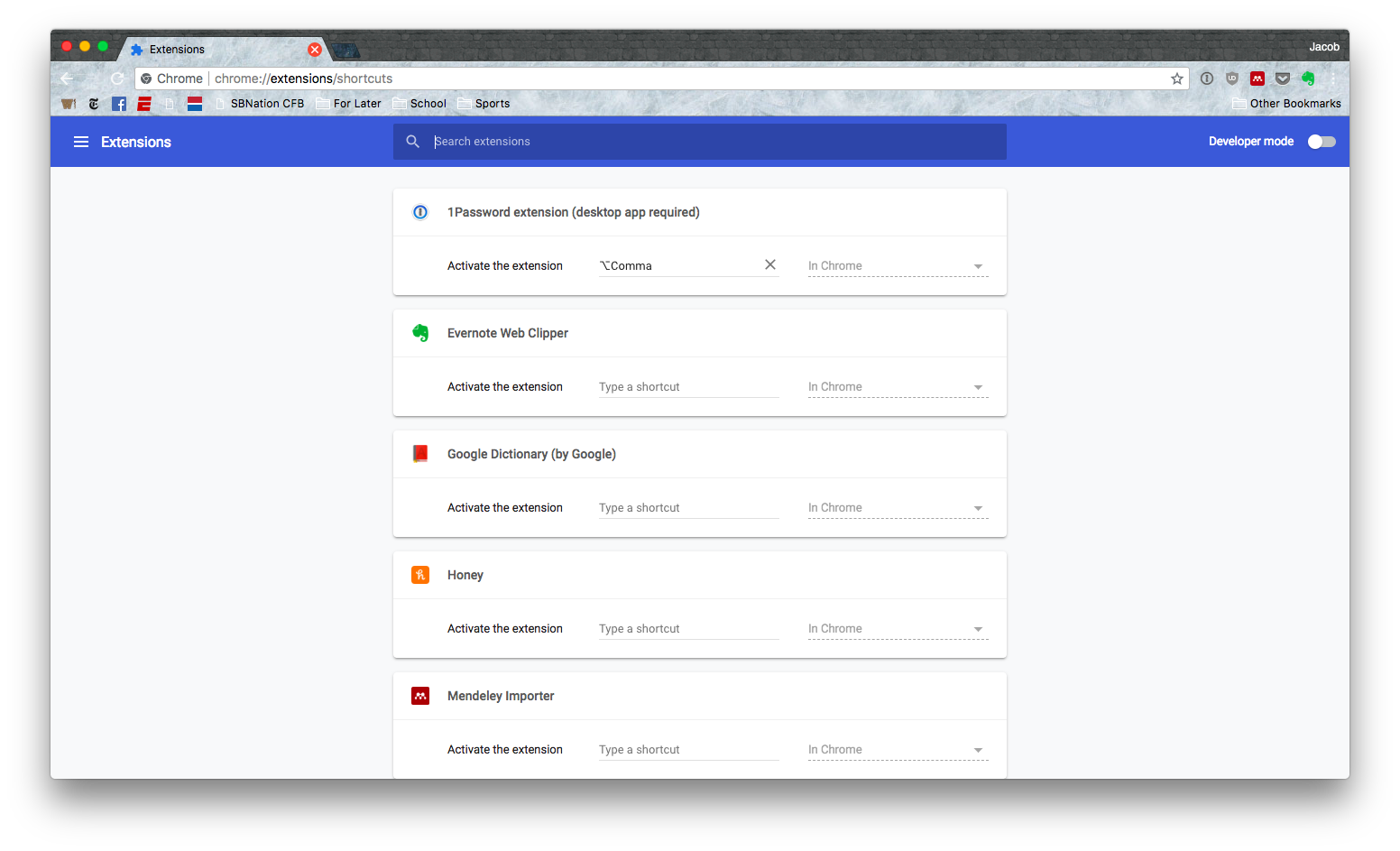
I frequently use the 1password mini add-on and have multiple logins for many websites, and would like to be able to access this function with a keyboard shortcut. Attached is a screenshot of how I was able to do this in Chrome, which i am looking to replicate with Firefox

I frequently use the 1password mini add-on and have multiple logins for many websites, and would like to be able to access this function with a keyboard shortcut. Attached is a screenshot of how I was able to do this in Chrome, which i am looking to replicate with Firefox

Όλες οι απαντήσεις (3)

περισσότερες επιλογές

Hi, not many to choose from as Firefox is still not allowing Extensions in that far for Security : https://addons.mozilla.org/firefox/search/?platform=mac&q=keyboard%20shortcuts

περισσότερες επιλογές

The screenshot didn't upload, please try again.


See this support article. How do I create a screenshot of my problem? It is best to use a compressed image type like PNG or JPG to save the screenshot and make sure that you do not exceed a maximum file size of 1 MB.

Then use the Browse .... button below the Post a Reply text box to upload the screenshot.

περισσότερες επιλογές

here is the screenshot