


Need to increase the font size of tabs

Basically, I need to figure out how to increase the font size in tabs (using about:config or some other mechanism). I can't find an add-on or extension that'll do this - all I want is a larger font for the open tabs.
Επιλεγμένη λύση
How about (I combined your rules together):
#PlacesToolbarItems,
#sidebar-search-container #search-box,
.sidebar-placesTree {
  font-size: 15px !important;
  font-weight: bold !important;
}

label.tab-text {
  font-size: 15px !important;
}
Προβολή απάντησης εντός συζήτησης
👍 0
Όλες οι απαντήσεις (8)
Additional Info
I was able to get my bookmarks to increase size and be bold using these in the chrome folder -
- PlacesToolbarItems, #sidebar-search-container #search-box, .sidebar-placesTree { font-size: 15px !important; }
- PlacesToolbarItems, #sidebar-search-container #search-box, .sidebar-placesTree { font-weight: bold !important; }
Maybe a similar way to get the font size in the tabs to be bigger?
Επιλεγμένη λύση
How about (I combined your rules together):
#PlacesToolbarItems,
#sidebar-search-container #search-box,
.sidebar-placesTree {
  font-size: 15px !important;
  font-weight: bold !important;
}

label.tab-text {
  font-size: 15px !important;
}
OK - I'm going to try this and I'll let you know how it works!
It works! Thank you so much! Phil
From one lawyer to another - Thanks!
Now, if I could only figure out how to get a very light blue background to my toolbars and curved tabs, I'd feel great!
I did bold the Tabs with this after you got me to a readable size font, btw:
label.tab-text {
font-weight: bold !important;
}
Again - Thanks, and if you know how to get some mild color in the toolbars, please let me know - the Extensions available are too "dark" and "brisk" ...
Counselor, for a pale blue background to the toolbar area, I suggest browsing the themes section of the Add-ons site. Here's a sample search to get you started:
https://addons.mozilla.org/firefox/search/?platform=mac&q=light+blue&type=persona
The curved tabs part is a bit of work because image files are used for the corners. You can take a look at this one and try the "Light" theme variant to see if that is compatible:
https://github.com/wilfredwee/photon-australis
Does it work??
Thanks. I've been looking at themes as time allows for a few days and just can't find the "right" one, but that's just going to have to continue, I suppose. As for the tabs, the "Light" theme is very big and seems to be geared to Windows (?). I did try this portion: {
 --tab-curve-width: 30px;
 --tabs-border: transparent !important;
} which did nothing. Do you suggest I copy the entire 215 lines into my chrome? If so, on a Mac should I include the "root" at the very beginning? Thanks again for your very kind assistance!
Hey!
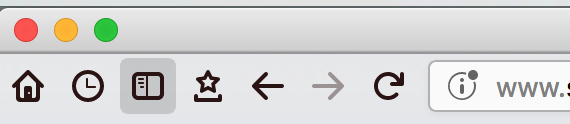
I got the curved tab to work - just used the entire 215 lines! Thanks! One more question - Any way to give different colors to the buttons (home, bookmarks, history etc.)? i.e., these: https://prod-cdn.sumo.mozilla.net/uploads/images/2018-03-03-06-15-24-190ad7.png

Τροποποιήθηκε στις από τον/την pcbjr