

Αυτό το νήμα αρχειοθετήθηκε.
Κάντε νέα ερώτηση αν χρειάζεστε βοήθεια.

Επιλύθηκε
Αρχειοθετήθηκε
How do I change the height of the bookmarks toolbar?
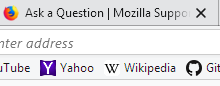
The bookmarks toolbar is too narrow when I choose the compact density in customize settings.
The bookmarks toolbar is too narrow when I choose the compact density in customize settings.
Τροποποιήθηκε στις από τον/την William
Όλες οι απαντήσεις (2)
Επιλεγμένη λύση
You could try a custom style rule in a userChrome.css file.
Rule:
/* Use Normal top and bottom padding for Compact */
#PlacesToolbarItems .bookmark-item {
  padding-top: 2px !important;
  padding-bottom: 2px !important;
}
About userChrome.css files:
Thank you, just what I'm looking for.