


Cursor leaves distracting lines in context menu and other menus

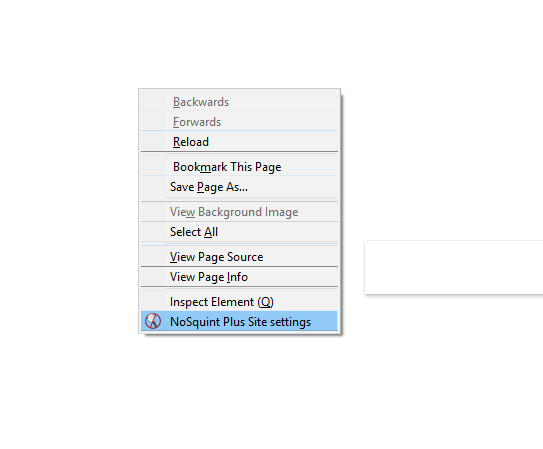
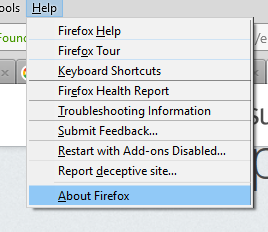
I have increased my natural Windows 10 scaling to 110% because I prefer how Windows looks. However, my Firefox menus (Both context menu and File/Edit etc menus) now leave distracting lines whenever the cursor passes over an item in the menu.
This doesn't happen with Windows context menus, or any other browser, only Firefox.
Τροποποιήθηκε στις από τον/την MisterCerberus
Όλες οι απαντήσεις (1)
I too have this problem. But my scaling is at default. However, I did use about:config/layout.css.devPixelsPerPx/+1.5 to increase font size in the FF interface.
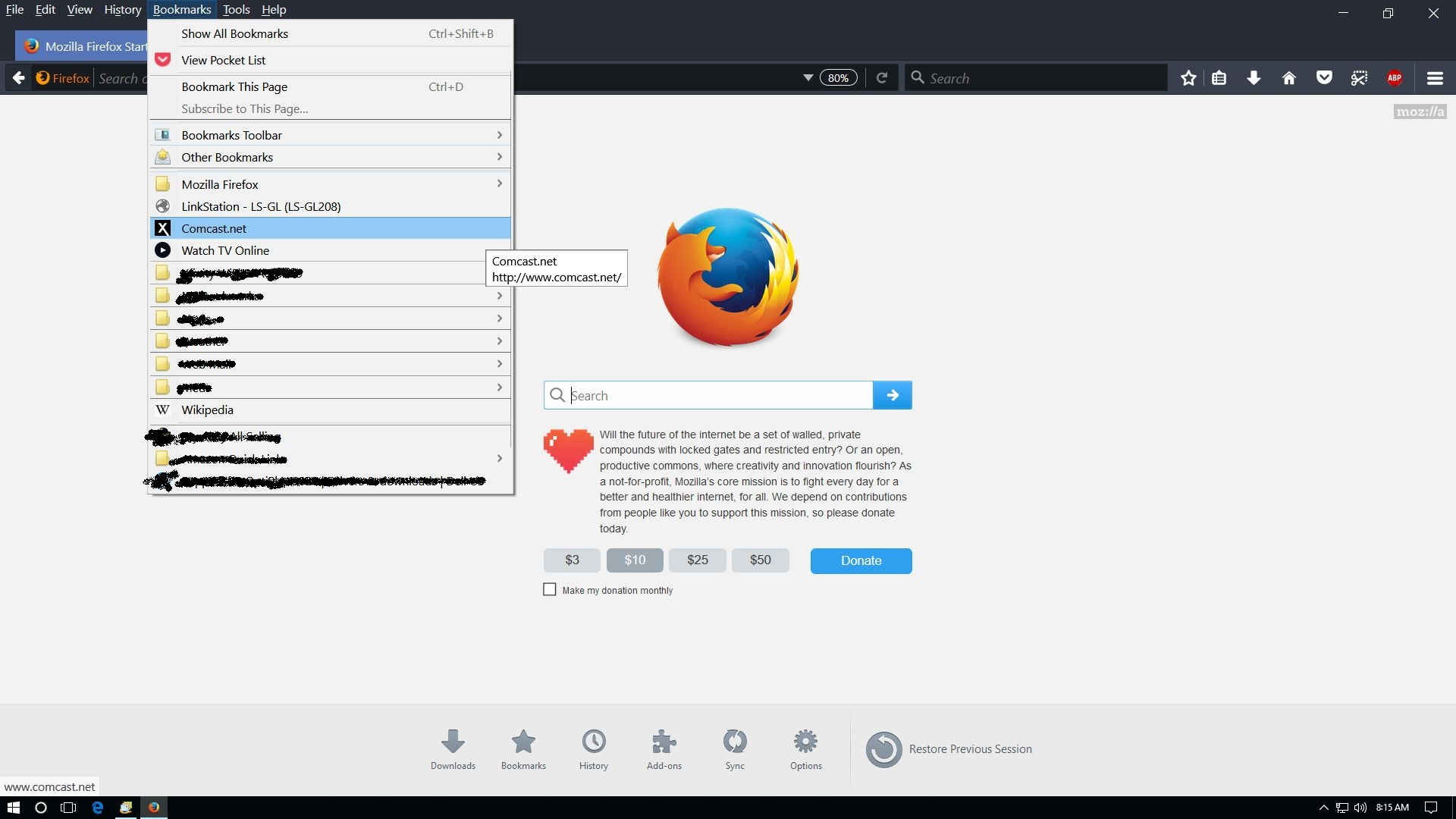
When I move my cursor to one of the folders, open it, and move into that menu window, the lines in the previous menu window disappear. But new ones are created as I move my cursor around in the 2nd menu. ...and so on.
Below is a screenshot of my desktop showing an example. Some links have been blurred for privacy reasons.
Τροποποιήθηκε στις από τον/την Clutch