


How to Stop firefox from asking me to make google my search engine

Recently i keep getting a second tab that opens with Firefox asking me to make Google my default search engine. Google is already set as my default engine and I cannot get it to stop. What gives?
Όλες οι απαντήσεις (7)

Check and see if you have any Google add-ons.
There is one listed as "Google Update". There is no option to remove it though.
There should be a Disable button. Use it.
Start your Computer in safe mode with networking. Then start Firefox. Try Safe websites. Is the problem still there?
I tried that before i made the first post...
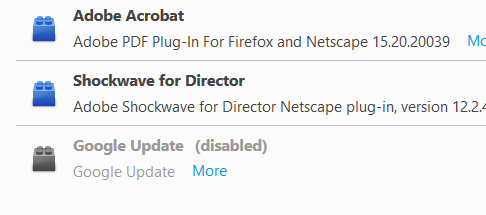
Hi,
When you get that request; have you clicked 'No thanks' ?
If you have Firefox set to 'Remember History' - that should do the trick.
It's actually not a pop up or question. I get 2 tabs that open, the first is my Google home page. I also get and additional tab showing me how to make Google my default search engine. My browser never opened with 2 tabs before and Google has always been set at my search engine.
You may have ad / mal-ware. Further information can be found in the Troubleshoot Firefox issues caused by malware article.
Run most or all of the listed malware scanners. Each works differently. If one program misses something, another may pick it up.