When I click Fire Fox icon, MSN appears, not your screen

We have a new computer with Windows 7 and Fire Fox as our default. Now, when we click the Mozilla icon on the screen, the Fire Fox screen does not appear, rather MSN screen comes up. How do I get rid of MSN?
We have a new computer with Windows 7 and Fire Fox as our default. Now, when we click the Mozilla icon on the screen, the Fire Fox screen does not appear, rather MSN screen comes up. How do I get rid of MSN?
Όλες οι απαντήσεις (1)
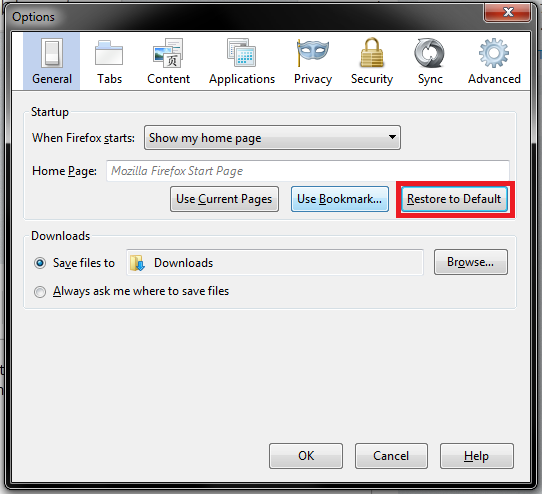
Hello, Your problem is that it is set to msn home page, to solve this problem, you need to go to the menu and enter the options screen and select the option Restore to Default.See image .