Wo archive tread sia.
Meɖekuku bia biabia yeye ne ehia kpeɖeŋu.

Wode archive me
When I open Firefox browser it is going to the last page of my previous session instead of my home page.

I want to go to my home page when I start each new session but it is taking me to the last page viewed on my last session. How can I change this?
I want to go to my home page when I start each new session but it is taking me to the last page viewed on my last session. How can I change this?
All Replies (1)
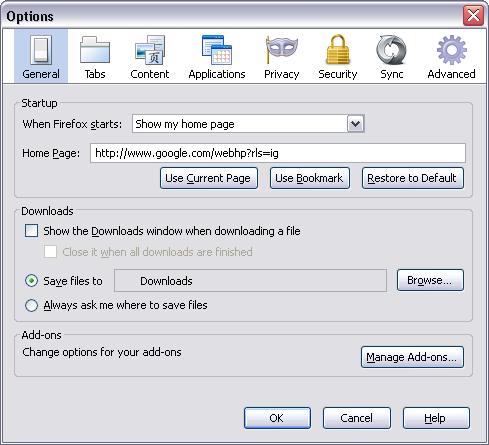
You just need to update the setting under the Startup to not restore your previous session. Go to Tools - > Options - > General Tab. At the top it says 'When Firefox starts:' with a dropdown. Just select Show my homepage.