


Deepl website won't function without security verification every single time
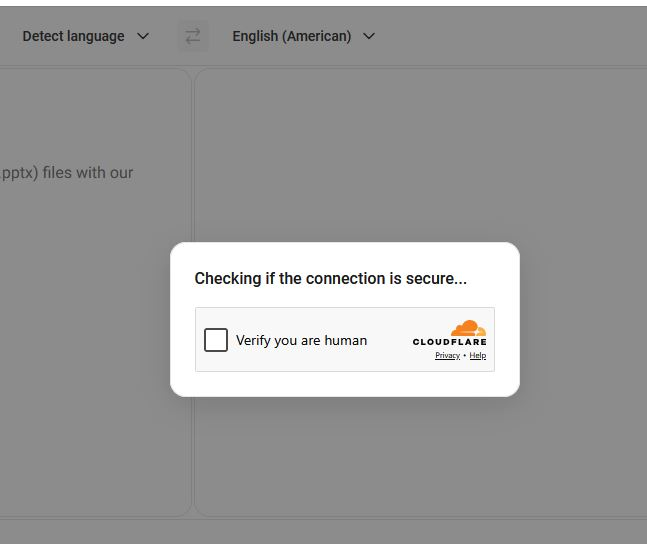
We use the Deepl site for translations and it won't load in Firefox without asking the "verify you are human" questions every single time. The Deeple site does not require this authentication in Chrome but we hate Chrome and want to stick with Firefox. We just have the standard security settings in Firefox, only use Windows Firewall and our Express VPN is not switched on; our IP location is showing correctly. Firefox is up to date.
All Replies (2)
You might need to ask Cloudflare or Deepl, as there doesn't seem anything influencing it: support.mozilla.org/questions/1601305 (it challenges me in all browsers, fwiw)
Seems they don't want you to open that page directly, and use the homepage now instead.
Thanks for looking jbr. By way of update, Deepl have responded:
"The prompt you see is a Cloudflare browser check, which protects DeepL and many other sites from automated abuse. Once you complete it, Cloudflare stores a short-lived trust cookie so you are not challenged again for a while. When Firefox is configured for strong privacy, that cookie is often cleared, isolated, or ignored between visits, so the check appears again on your next visit.
Chrome keeps that cookie more readily by default, which is why it usually only challenges you once. There is also a second factor: Cloudflare treats browsers that look unusual with more suspicion, and a Firefox set up for strong privacy (strict tracking protection, anti-fingerprinting, container-style cookie isolation) stands out compared with a default Chrome, so it gets challenged more often as a precaution. In other words, what you are seeing is not a fault on DeepL's side and not something we can switch off for an individual visitor. It is the trade-off between the strict privacy setup you have chosen and a site that sits behind Cloudflare's bot protection."
That just looks to me like Cloudflare is the issue and this will be a problem going forwards... I use Firefox because it gives greater privacy confidence, even when in standard mode (which mine is). I don't understand why Cloudflare can't cope with one of the world's most popular browsers even without it's advanced security measures turned on... seems a bit overkill to me. I will chase Cloudfare and report back but right now it looks like Deepl translations are not going to offer a great experience on Firefox.