


20Aug26 Update messed up right-click window

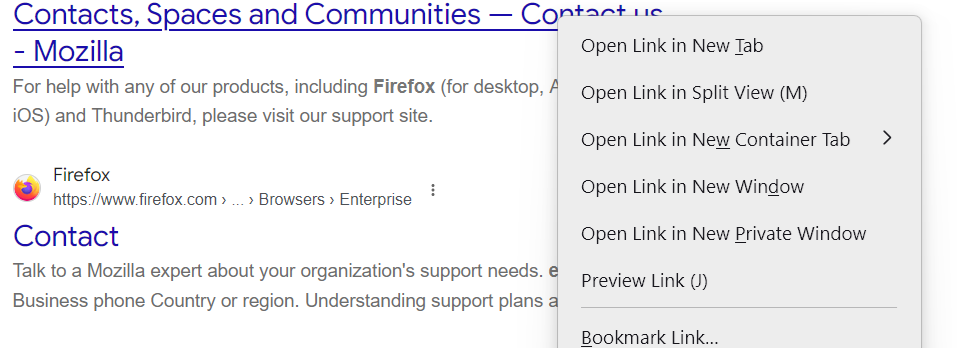
As of 20 August 2026 Firefox update, my right-click menu is messed up. It USED to be black with white text; now it's unreadable gray with slightly darker gray text. Putting Firefox in "Dark Mode" brings that back, but makes everything ELSE completely unusable. I use the "default" setting under the Appearance Settings, and always have (as in really always, from the day Firefox was first available). I use "Orion Nebula Center" by Lightyear, and have done for years. Disabling it doesn't do anything as far as the right-click window. I've uploaded a screenie of the specific menu, in case my description isn't clear. I did try a Firefox "recommended" add-on called Stylebot, but it appears to work only on a specific element of a specific page, and not globally to correct the issue on any/all windows. How can I get the black background, white text version of the right-click menu back? Thanks!
All Replies (1)
How can I get the black background, white text version
That is obviously not the Light version so two options left
Dark, which you say works Putting Firefox in "Dark Mode" brings that back but I have no idea of what doesn't work for you.
So use system settings would seem to be questionable ??
All the above are options under Website Appearance
Then their is Browser Theme I use dark
So I would check over the two ways to effect such a) Site appearance and b) Browser theme