


Windows 10 reached EOS (end of support) on October 14, 2025. For more information, see this article.

Search Support

Avoid support scams. We will never ask you to call or text a phone number or share personal information. Please report suspicious activity using the “Report Abuse” option.

Learn More

Payment methods not working

  • 2 ŋuɖoɖowo
  • 0 masɔmasɔ sia le wosi
  • Nuɖoɖo mlɔetɔ Tim Allman

more options

I am using Firefox 146.0 (64 bit), canonical-002 - 1.0 on Kubuntu 24.04.

The browser will not store credit card information. If I enter correct information into a Web site, Firefox correctly queries whether I want to save this information. Clicking "Save" closes the dialog but when I look at "Manage payment methods" in Settings nothing is saved. Attempts to enter the information at this point fail as well. Note that the check box "Save and autofill payment info" is set.
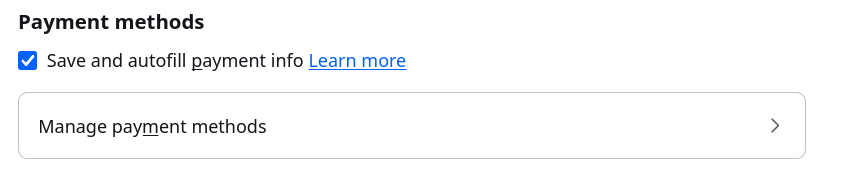
I am using Firefox 146.0 (64 bit), canonical-002 - 1.0 on Kubuntu 24.04. The browser will not store credit card information. If I enter correct information into a Web site, Firefox correctly queries whether I want to save this information. Clicking "Save" closes the dialog but when I look at "Manage payment methods" in Settings nothing is saved. Attempts to enter the information at this point fail as well. Note that the check box "Save and autofill payment info" is set.
Screen ƒe photowo kpe ɖe eŋu

All Replies (2)

more options

Hi Tim

This is something that we are aware of and are looking into.

Can you try installing a copy of Firefox Nightly directly from Mozilla? (No need to sign into your Mozilla Account).

Do payments work fine in the Nightly build?

more options

I'm willing to help and have downloaded the nightly .tgz file. However, I can't find instructions for installing it and I don't want to mess up my current installation.

Bia biabia

You must log in to your account to reply to posts. Please start a new question, if you do not have an account yet.