


Firefox text and graphic display issue

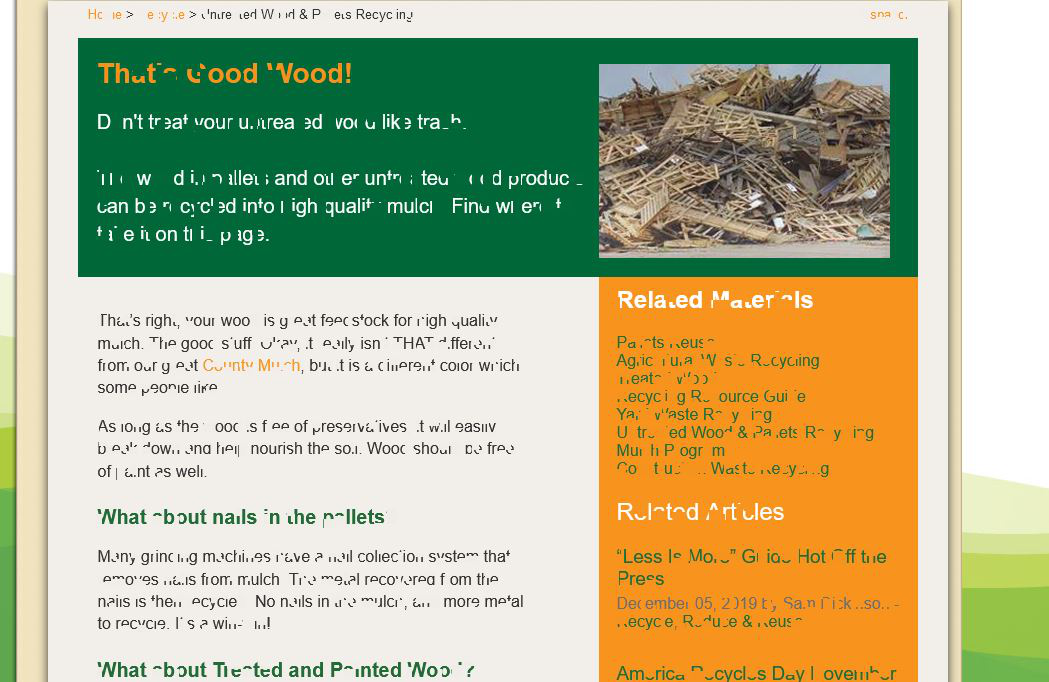
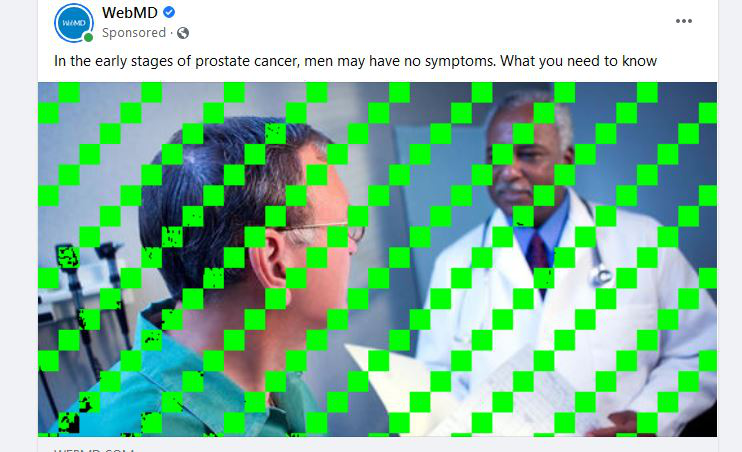
For several months now, Firefox has been displaying garbled text and pixelated images on many websites. The happens often. It only occurs with Firefox. Edge, Chrome, and Brave are fine.
See the attached images.
-Wayne

Ŋuɖoɖo si wotia
This could be a problem with WebRender, so you can try to disable WebRender to see whether this has effect.
You can disable WebRender by setting this pref to true on the the about:config page.
- gfx.webrender.force-disabled = true
You can open the about:config page via the location/address bar. You can accept the warning and click "I accept the risk!" to continue.
You can try to disable hardware acceleration in Firefox.
- Settings -> General: Performance
remove checkmark: [ ] "Use recommended performance settings"
remove checkmark: [ ] "Use hardware acceleration when available" - https://support.mozilla.org/en-US/kb/performance-settings
Close and restart Firefox after modifying the setting to make changes effective.
You can check if there is an update for your graphics display driver and check for hardware acceleration related issues.
Xle ŋuɖoɖo sia le goya me 👍 0All Replies (1)
Ɖɔɖɔɖo si wotia
This could be a problem with WebRender, so you can try to disable WebRender to see whether this has effect.
You can disable WebRender by setting this pref to true on the the about:config page.
- gfx.webrender.force-disabled = true
You can open the about:config page via the location/address bar. You can accept the warning and click "I accept the risk!" to continue.
You can try to disable hardware acceleration in Firefox.
- Settings -> General: Performance
remove checkmark: [ ] "Use recommended performance settings"
remove checkmark: [ ] "Use hardware acceleration when available" - https://support.mozilla.org/en-US/kb/performance-settings
Close and restart Firefox after modifying the setting to make changes effective.
You can check if there is an update for your graphics display driver and check for hardware acceleration related issues.