


I accidentaly checked "never for this site" under save password. How can I change setting?

Whn asked save this password three choices, I meant to choose "not now" but accidentally checked "never for this site" How do I change settings?
Whn asked save this password
three choices, I meant to choose "not now" but accidentally checked "never for this site" How do I change settings?
Wšykne wótegrona (3)
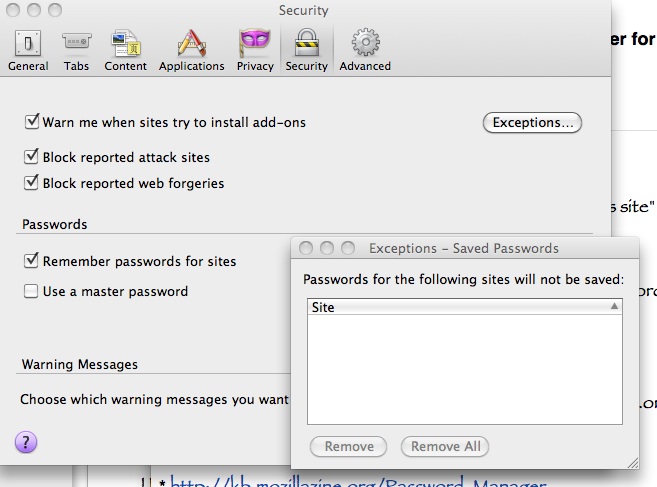
Remove site(s) from the Exceptions: Firefox > Preferences > Security: Passwords: Exceptions
I have already looked in the exception folder, it is empty... any other ideas? It was my paypal login, if that makes any difference.
Some sites like PayPal, Yahoo, Windows Live and bank sites use autocomplete="off" to prevent Firefox from saving and filling the name and the password.
If a site uses autocomplete="off" then look at this article for a bookmarklet to remove that autocomplete attribute and Firefox will offer to store the name and password.