


Can't "Refresh Firefox". The option seems to be missing.

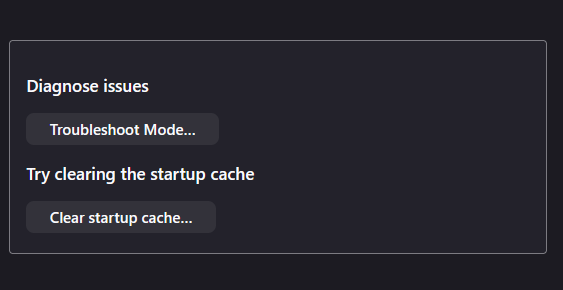
My browser is not working as it should. Several sites do not work anymore and the browser keeps crashing. I'd like to refresh the browser, but the button is missing. I tried going to troubleshooting mode, but the button is not there either.
Not sure if uninstalling would do the same thing? Just not sure what is the best way to refresh. Thanks for any help!
Wšykne wótegrona (5)
Reinstalling won't help you. I don't have that button either.
If the browser keep crashing, please follow the steps below to provide us crash IDs to help us learn more about your crash.
The crash report is several pages of data. We need the report numbers to see the whole report.
- Enter about:crashes in the Firefox address bar and press Enter. A list of Submitted (and Unsubmitted, if any) Crash Reports will appear, similar to the one shown below.
- Copy the 5 most recent Submitted Report IDs that start with bp- and then go back to your forum question and paste those IDs into the "Post a Reply" box.
Note: If a recent Report ID does not start with bp- click on it to submit the report.
(Please don't take a screenshot of your crashes, just copy and paste the IDs. The below image is just an example of what your Firefox screen should look like.)
TyDraniu said
Reinstalling won't help you. I don't have that button either. If the browser keep crashing, please follow the steps below to provide us crash IDs to help us learn more about your crash. The crash report is several pages of data. We need the report numbers to see the whole report.Note: If a recent Report ID does not start with bp- click on it to submit the report. (Please don't take a screenshot of your crashes, just copy and paste the IDs. The below image is just an example of what your Firefox screen should look like.)
- Enter about:crashes in the Firefox address bar and press Enter. A list of Submitted (and Unsubmitted, if any) Crash Reports will appear, similar to the one shown below.
- Copy the 5 most recent Submitted Report IDs that start with bp- and then go back to your forum question and paste those IDs into the "Post a Reply" box.

bp-e940321f-febf-479e-81b3-0658e0260102 bp-e88fddec-10fd-4ae8-97db-62bd00260102 bp-93291fb7-d60c-4aca-a218-408a20260102 bp-d326a70e-d95b-4a4c-aaa5-bcfad0260102 bp-308459d4-8808-4dda-963f-713e10260102
Here they are. Thanks for your help. Let me know if you need anything else!
Just wanted to check in and see if you need any additional information from me. I appreciate your help with this!