


Windows 10 reached EOS (end of support) on October 14, 2025. If you are on Windows 10, see this article.

Pomoc pśepytaś

Glědajśo se wobšudy pomocy. Njenapominajomy was nigda, telefonowy numer zawołaś, SMS pósłaś abo wósobinske informacije pśeraźiś. Pšosym dajśo suspektnu aktiwitu z pomocu nastajenja „Znjewužywanje k wěsći daś“ k wěsći.

Dalšne informacije

Form autofill not working on site

  • 2 wótegronje
  • 0 ma toś ten problem
  • 60 naglědow
  • Slědne wótegrono wót DGDomtar
  • Archiwěrowany

Have a service ticket website we use (EasyVista) that should be form populating previous entries however this is not happening in FireFox. Doing this on Chrome works properly. I've included screenshots showing both.

Autofill is properly set. Below is all config entries that have "autofill" in their name:

browser.urlbar.autoFill true browser.urlbar.autoFill.adaptiveHistory.enabled false browser.urlbar.autoFill.adaptiveHistory.minCharsThreshold 0 dom.forms.autocomplete.formautofill true extensions.formautofill.addresses.capture.enabled true extensions.formautofill.addresses.enabled true extensions.formautofill.addresses.experiments.enabled false extensions.formautofill.addresses.ignoreAutocompleteOff true extensions.formautofill.addresses.supported detect extensions.formautofill.addresses.supportedCountries US,CA,FR,DE extensions.formautofill.available detect extensions.formautofill.creditCards.enabled true extensions.formautofill.creditCards.heuristics.fathom.confidenceThreshold 0.5 extensions.formautofill.creditCards.heuristics.fathom.highConfidenceThreshold 0.95 extensions.formautofill.creditCards.heuristics.fathom.testConfidence 0 extensions.formautofill.creditCards.heuristics.fathom.types cc-number,cc-name extensions.formautofill.creditCards.heuristics.mode 2 extensions.formautofill.creditCards.ignoreAutocompleteOff true extensions.formautofill.creditCards.reauth.optout MDIEEPgAAAAAAAAAAAAAAAAAAAEwFAYIKoZIhvcNAwcECHIvPwk4C9zyBAj7rcwgHE0r7g== extensions.formautofill.creditCards.supported detect extensions.formautofill.creditCards.supportedCountries US,CA,GB,FR,DE,IT,ES,AT,BE,PL extensions.formautofill.heuristics.autofillSameOriginWithTop true extensions.formautofill.heuristics.captureOnFormRemoval true extensions.formautofill.heuristics.captureOnPageNavigation true extensions.formautofill.loglevel Warn extensions.formautofill.supportRTL false services.sync.prefs.sync.signon.autofillForms true signon.autofillForms true signon.autofillForms.autocompleteOff true signon.autofillForms.http false
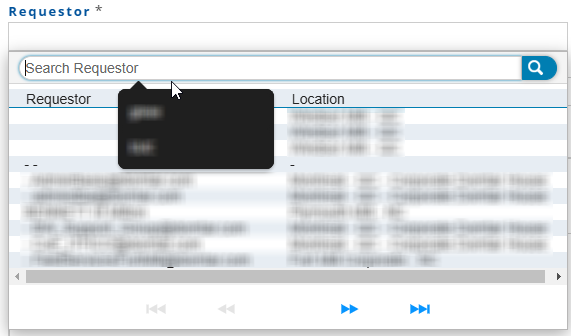
Have a service ticket website we use (EasyVista) that should be form populating previous entries however this is not happening in FireFox. Doing this on Chrome works properly. I've included screenshots showing both. Autofill is properly set. Below is all config entries that have "autofill" in their name: browser.urlbar.autoFill true browser.urlbar.autoFill.adaptiveHistory.enabled false browser.urlbar.autoFill.adaptiveHistory.minCharsThreshold 0 dom.forms.autocomplete.formautofill true extensions.formautofill.addresses.capture.enabled true extensions.formautofill.addresses.enabled true extensions.formautofill.addresses.experiments.enabled false extensions.formautofill.addresses.ignoreAutocompleteOff true extensions.formautofill.addresses.supported detect extensions.formautofill.addresses.supportedCountries US,CA,FR,DE extensions.formautofill.available detect extensions.formautofill.creditCards.enabled true extensions.formautofill.creditCards.heuristics.fathom.confidenceThreshold 0.5 extensions.formautofill.creditCards.heuristics.fathom.highConfidenceThreshold 0.95 extensions.formautofill.creditCards.heuristics.fathom.testConfidence 0 extensions.formautofill.creditCards.heuristics.fathom.types cc-number,cc-name extensions.formautofill.creditCards.heuristics.mode 2 extensions.formautofill.creditCards.ignoreAutocompleteOff true extensions.formautofill.creditCards.reauth.optout MDIEEPgAAAAAAAAAAAAAAAAAAAEwFAYIKoZIhvcNAwcECHIvPwk4C9zyBAj7rcwgHE0r7g== extensions.formautofill.creditCards.supported detect extensions.formautofill.creditCards.supportedCountries US,CA,GB,FR,DE,IT,ES,AT,BE,PL extensions.formautofill.heuristics.autofillSameOriginWithTop true extensions.formautofill.heuristics.captureOnFormRemoval true extensions.formautofill.heuristics.captureOnPageNavigation true extensions.formautofill.loglevel Warn extensions.formautofill.supportRTL false services.sync.prefs.sync.signon.autofillForms true signon.autofillForms true signon.autofillForms.autocompleteOff true signon.autofillForms.http false
Pśipowjesone fota wobrazowki

Wšykne wótegrona (2)

What kind of form it this if you check this in the Inspector?

You can right-click and select "Inspect" to open the built-in Inspector with this element selected.

<input type="text" name="__questionnaire___1542" id="__questionnaire___1542" ng-required="questionnaire.page[undefined].datas[5].displayed == 1" ezv-questionnaire-popup="query-dialog" connector="connector_1cd5b7ae2eaf11e98b5d0afcabbadc9a" queryguid="{54C3C7D4-EBFE-4EC3-9226-7AB932026688}" querysql="eNp9j8sKwkAMRX8lywqlf6DgI+KipTIK0lUY2lRGponYuPDvtYtKC+Iu3JycS06Y4/YMviPu7lFfzFn0vZH4jtMhjlp7CyrZOBBLCiNMoYG9K4upACK3BjcNMr0Hld+6j2E5759sLgd0CAmsC8LimJcVYsbSkLZUq9jD1wYruLI13jiBBZTuLxt6kGeMA7dDB5tqRn8/fwOzPGGl|212504bb2debb5f839988d8d7c75e461d96e4489" queryheaders="Requestor,Location" data="5" lab="Requestor" ng-model="questionnaire.page[undefined].datas[5].result.value.label" valid-constraint="5" readonly="readonly" style="cursor: pointer;" autofocus="" autocomplete="off" class="ng-pristine ng-empty ng-invalid-required ng-pending has-visited ng-touched" required="required" aria-invalid="false"><input type="hidden" ng-model="questionnaire.page[undefined].datas[5].result.value.id" ng-change="evaluateConditionsForCurrentPage(5, undefined);" autocomplete="off" class="ng-pristine ng-untouched ng-valid ng-not-empty" style="">Empty FieldRequestor is required