


Windows 10 reached EOS (end of support) on October 14, 2025. If you are on Windows 10, see this article.

Pomoc pśepytaś

Glědajśo se wobšudy pomocy. Njenapominajomy was nigda, telefonowy numer zawołaś, SMS pósłaś abo wósobinske informacije pśeraźiś. Pšosym dajśo suspektnu aktiwitu z pomocu nastajenja „Znjewužywanje k wěsći daś“ k wěsći.

Dalšne informacije
Toś ta nitka jo se archiwěrowała. Pšosym stajśo nowe pšašanje, joli trjebaśo pomoc.
Archiwěrowany

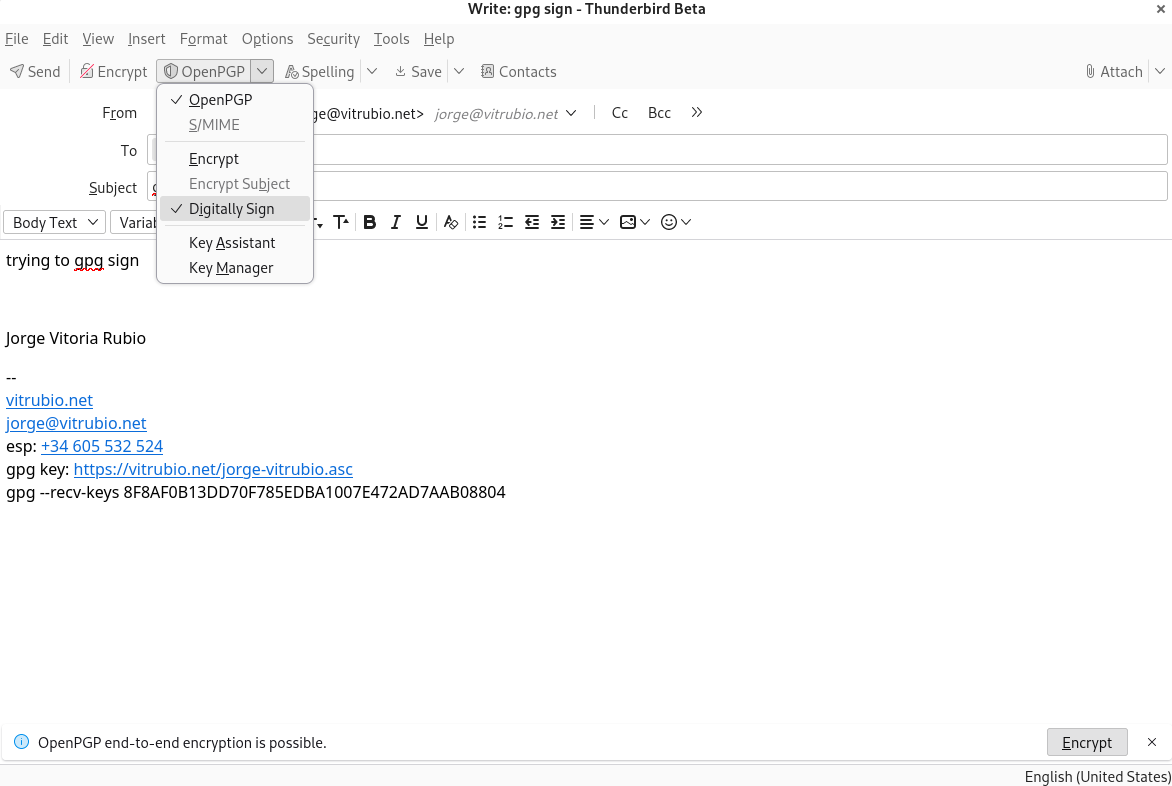
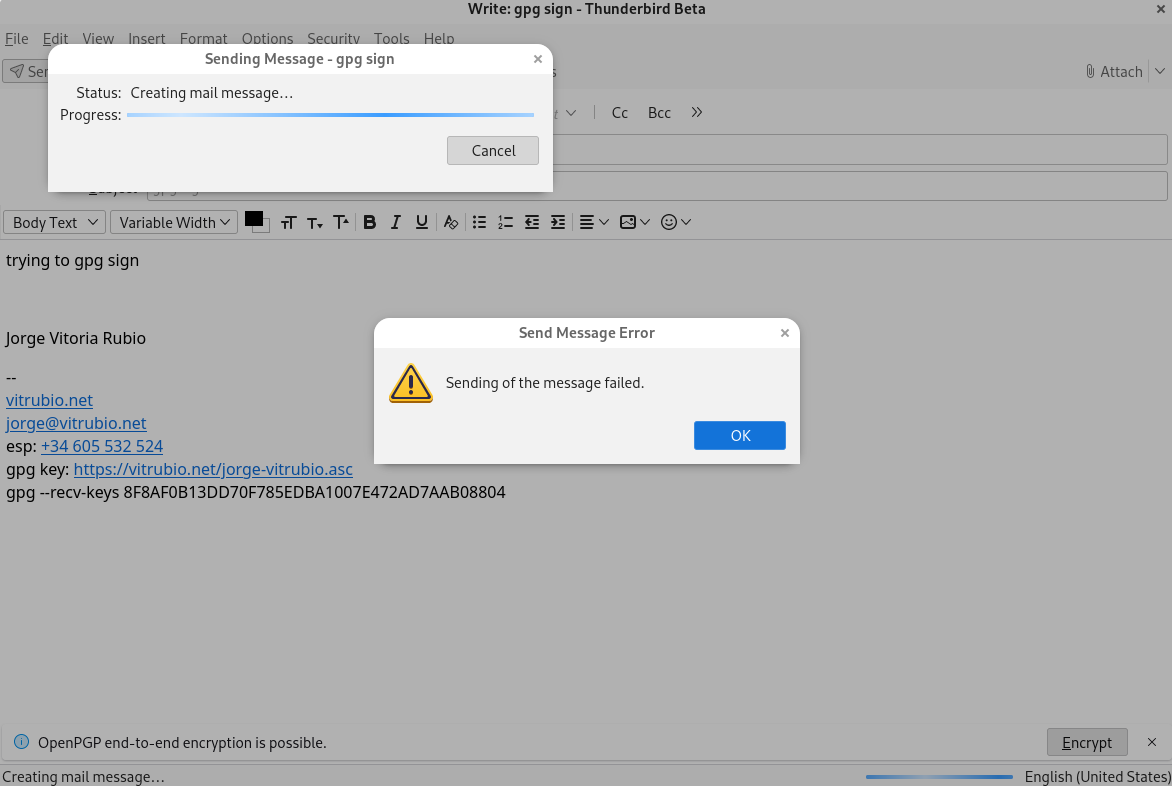
"sending of the message failed" when gpg signing. Debian/Thunderbird

Kai Engert wótegronjony
vitrubio.net

When trying to sign messages with thunderbir on debian mails won't deliver.

If they are not signed, it will send smoothly even if they are encrypted.

~$ lsb_release -a

No LSB modules are available. Distributor ID: Debian Description: Debian GNU/Linux trixie/sid Release: n/a Codename: trixie

~$ dpkg -l |grep thunderbird

ii thunderbird 1:115.7.0-1 amd64 mail/news client with RSS, chat and integrated spam filter support

~$ dpkg -l |grep gnupg

ii gnupg 2.2.40-1.1 all GNU privacy guard - a free PGP replacement ii gnupg-l10n 2.2.40-1.1 all GNU privacy guard - localization files ii gnupg-utils 2.2.40-1.1+b1 amd64 GNU privacy guard - utility programs

using gnome-desktop-3

~$ dpkg -l |grep pinentry

ii pinentry-curses 1.2.1-3 amd64 curses-based PIN or pass-phrase entry dialog for GnuPG ii pinentry-gnome3 1.2.1-3 amd64 GNOME 3 PIN or pass-phrase entry dialog for GnuPG
When trying to sign messages with thunderbir on debian mails won't deliver. If they are not signed, it will send smoothly even if they are encrypted. :~$ lsb_release -a No LSB modules are available. Distributor ID: Debian Description: Debian GNU/Linux trixie/sid Release: n/a Codename: trixie :~$ dpkg -l |grep thunderbird ii thunderbird 1:115.7.0-1 amd64 mail/news client with RSS, chat and integrated spam filter support :~$ dpkg -l |grep gnupg ii gnupg 2.2.40-1.1 all GNU privacy guard - a free PGP replacement ii gnupg-l10n 2.2.40-1.1 all GNU privacy guard - localization files ii gnupg-utils 2.2.40-1.1+b1 amd64 GNU privacy guard - utility programs using gnome-desktop-3 :~$ dpkg -l |grep pinentry ii pinentry-curses 1.2.1-3 amd64 curses-based PIN or pass-phrase entry dialog for GnuPG ii pinentry-gnome3 1.2.1-3 amd64 GNOME 3 PIN or pass-phrase entry dialog for GnuPG
Pśipowjesone fota wobrazowki

Wšykne wótegrona (1)

I need more details. Please show configuration of e2ee in account settings.