


***@gmail.comのメールをダウンロードしています。と画面左下に。

サンダーバードを起動したときに、2回に1回ぐらいの頻度で、 左下に「**@gmail.comの全てのメールにメッセージをダウンロードしています」と表示され 今は2/13000のように、13,000通のメールがダウンロードされているように出ます。 2か月前から症状が出て、そのダウンロードが終わるまで、ゼロになるまで待機したことがあるのですが、 数日後にはまた同じように、1万通ほどのメッセージをダウンロードし始め、挙動が遅くなる状態です。 設定を色々触ってみました。自動削除をオンにしたり、自動受信ではなく手動の受信に変えたり。 gmail以外のアカウントも取得していますがそちらは特に変わったことはないです。 gmail自体が重い、メールが届きすげているのかと思い、googleアカウントから全てメールを削除したりも試みてみましたが状況は変わりません。 10年ほど使っていますが今までこのようなことはありませんでした…どこに問題があるのでしょう。
Wšykne wótegrona (3)
I cannot give much help here, but there are possibilities. If this is a POP account, the excessive downloads may happen if the popstat.dat file in the profile is corrupted. That is the file that keeps track of which messages have already been downloaded. Another possibility is if you are using the AllMail folder, which contains all messages and is a duplicate of messages in other folders. Otherwise, I have not seen that problem before. Someone else here may have more suggestions.
デビットさんありがとうございます。imapのようです・・・?フォルダにはメールが少ない状態にもかかわらずストレージがいっぱいだと表示もされています。初期化のような方法で解決できたりしないでしょうか…専門的な知識がないため困っています。


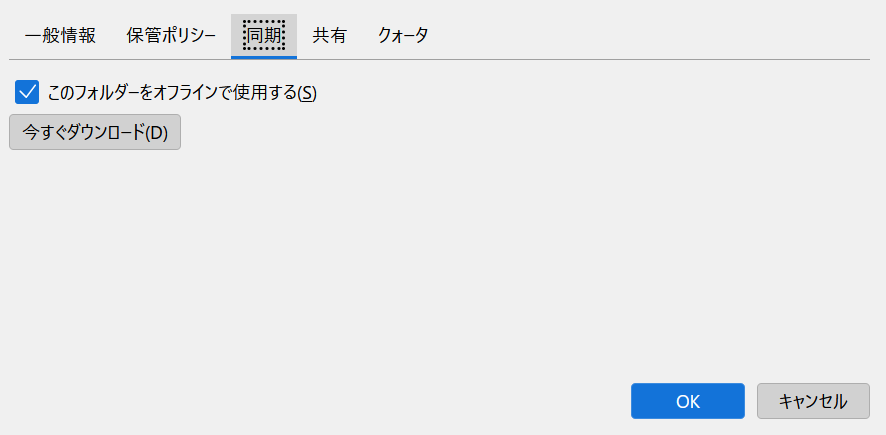
The inbox is just 3 meg, so my guess is that your space is being used by AllMail. You can check that by - highlight account in left sidebar - rightclick and select 'subscribe' - remove the tick mark beside folders you do not use, such as Allmail. - you may need to close and then restart Thunderbird. I don't know if this will help, but we have a language difficulty that prevents better assistance.