


Browser displays partly in French, partly in English

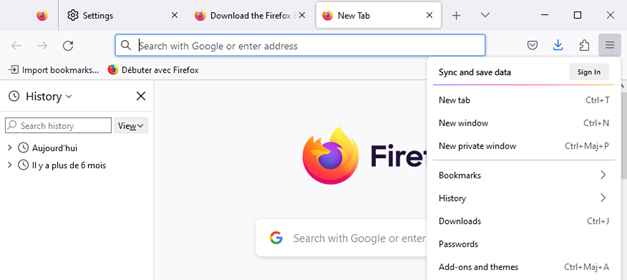
I had Firefox installed in English. After an update/renew (after a long period of not ever launching Firefox), it was displaying in French. I changed the preferred language to English in the Settings, and now I'm getting everything in a mishmash of English and French! (See the attach screenshot.) Even in the same panel, there is a mix of languages (e.g., under History, there's the "Search history" box, and below this, "Aujourd'hui" and "Il y a plus de 6 mois"). I cannot remove French from the language list, and English is already the preferred language.
Relevant information: This is a work desktop where my system settings are in English, but it is connected in a region that frequently uses French (Quebec) so some defaults for my organization might be in French.
Wšykne wótegrona (3)
You can try "Clear the startup cache..." via the "Help -> More Troubleshooting Information" (about:support) page.
Thank you for the response! I should have mentioned I did try clearing the cache before. I did it again, with no change.
So then I completely uninstalled and re-installed Firefox (restoring all defaults), and the funny thing is, now everything is in English is except the homepage bookmark (see attached screenshot). In the end, it is not really a problem now, just an odd behavior. :)
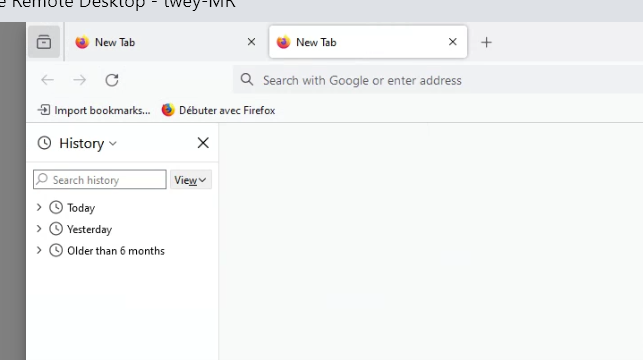
You can delete and recreate that bookmark as that won't be affected by a reinstall.
What locale for the user interface were you using and what language packs were you using?