


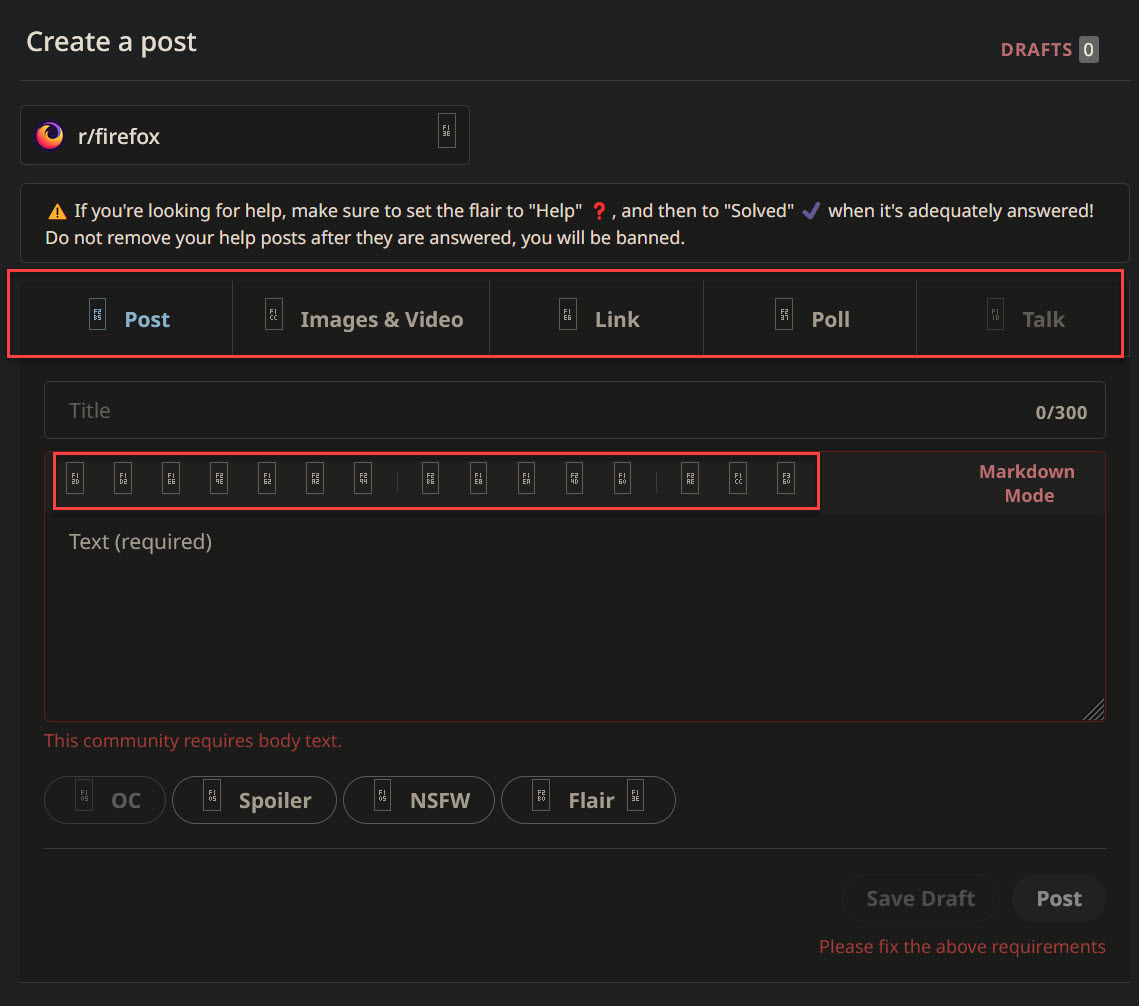
Firefox not displaying webpage icons properly
Hello, when trying to access reddit and other websites. Firefox is not loading the icons properly. I have tried:
- Opening in troubleshoot mode
- Opening in private window
- Disabling Ublock Origin
- Allowing/disallowing website to load their fonts
- Clearing cookies and cache
All to no avail, kindly help.
Wšykne wótegrona (1)
The missing characters are part of the Private Use Area Unicode block. Such characters are downloaded from internet as part of an iconic font. In current releases you will still have to allow downloadable website fonts.
You may see text labels or little boxes with the hex code if you block remote fonts that are downloaded from internet or otherwise block website fonts. If you use uBlock Origin make sure not to "block remote fonts".
You can check the Web Console (Tools -> Web Developer) for messages about blocked content and about the presence of mixed or unsafe content.
You can check the Network Monitor to see if content is blocked or otherwise fails to load.
If necessary use "Ctrl+F5" or "Ctrl+Shift+R" (Mac: Command+Shift+R) to reload the page and bypass the cache to generate a fresh log.