


Windows 10 reached EOS (end of support) on October 14, 2025. If you are on Windows 10, see this article.

Pomoc pśepytaś

Glědajśo se wobšudy pomocy. Njenapominajomy was nigda, telefonowy numer zawołaś, SMS pósłaś abo wósobinske informacije pśeraźiś. Pšosym dajśo suspektnu aktiwitu z pomocu nastajenja „Znjewužywanje k wěsći daś“ k wěsći.

Dalšne informacije

Privacy & Security->Permissions->Autoplay

  • 2 wótegronje
  • 0 ma toś ten problem
  • 113 naglědow
  • Slědne wótegrono wót James

When selecting Block Audio and Video option, I click settings and set to Block Audio and Video for Default for All Websites. It does not effect the browser from blocking.

How do I make it really work? I try to add websites but unable to do that, there are 2 websites listed as allow, I try to block them, have tried to delete them but when I save setting, they seem to return and allow.

So effectively it is not functioning. Is this just a fake setting?
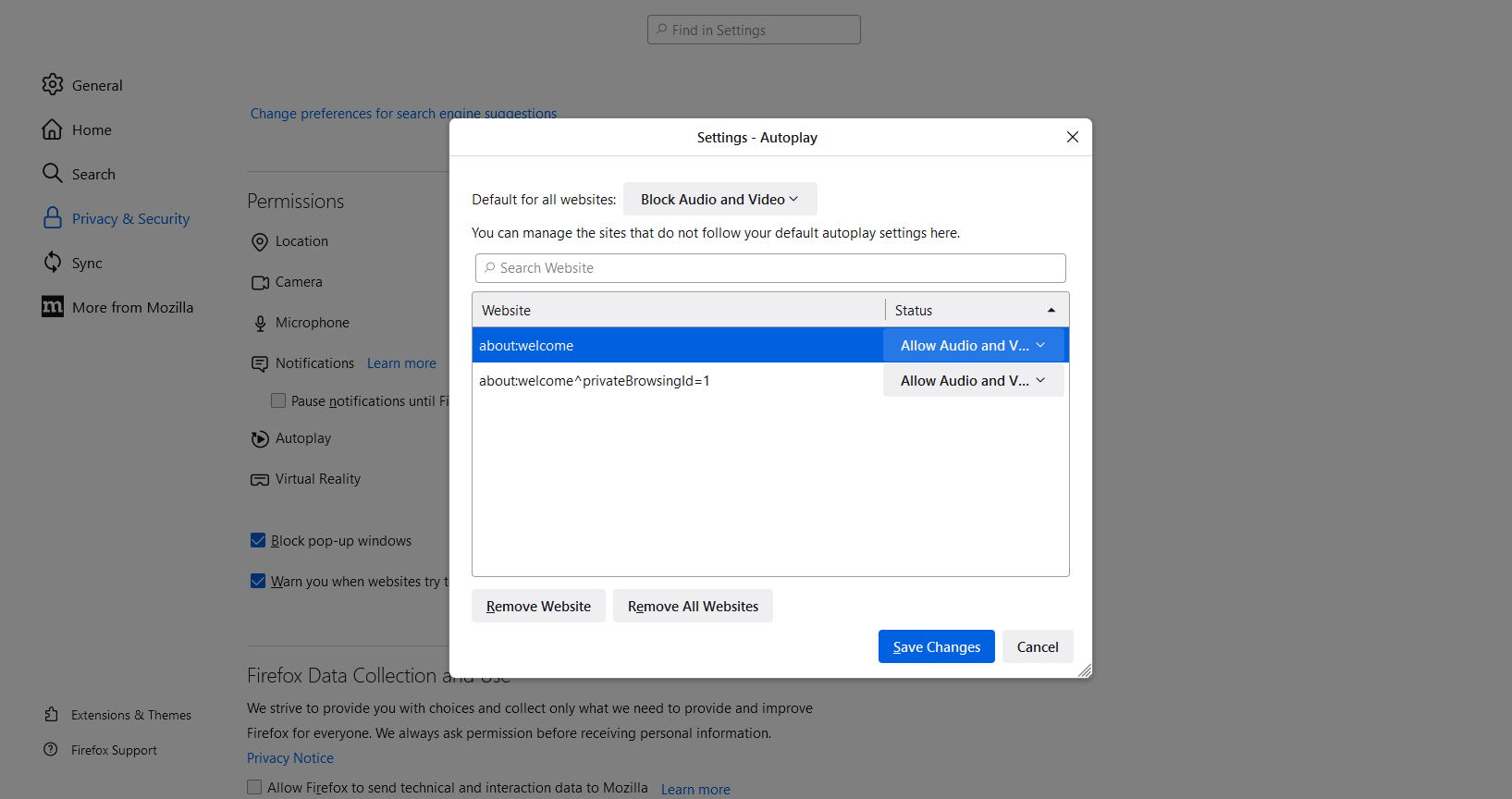
When selecting Block Audio and Video option, I click settings and set to Block Audio and Video for Default for All Websites. It does not effect the browser from blocking. How do I make it really work? I try to add websites but unable to do that, there are 2 websites listed as allow, I try to block them, have tried to delete them but when I save setting, they seem to return and allow. So effectively it is not functioning. Is this just a fake setting?
Pśipowjesone fota wobrazowki

Wšykne wótegrona (2)

Try these values for preferences in about:config.

media.autoplay.default = 5 [0:Allowed;1:blocked;5:All Blocked] media.autoplay.block-event.enabled = true media.block-autoplay-until-in-foreground = false media.autoplay.allow-extension-background-pages = false media.autoplay.blocking_policy = 2

https://support.mozilla.org/en-US/kb/about-config-editor-firefox https://support.mozilla.org/en-US/questions/1321021