


Access to clipboard denied

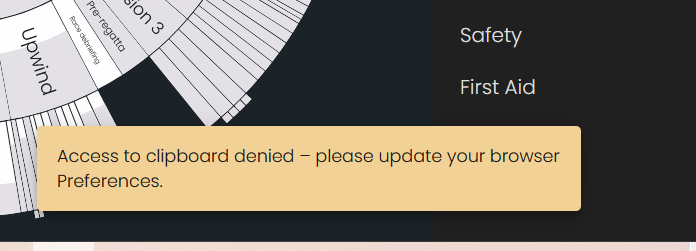
I keep getting the message 'Access to clipboard denied - please update your browser Preferences'. (Firefox in Windows and Mac).
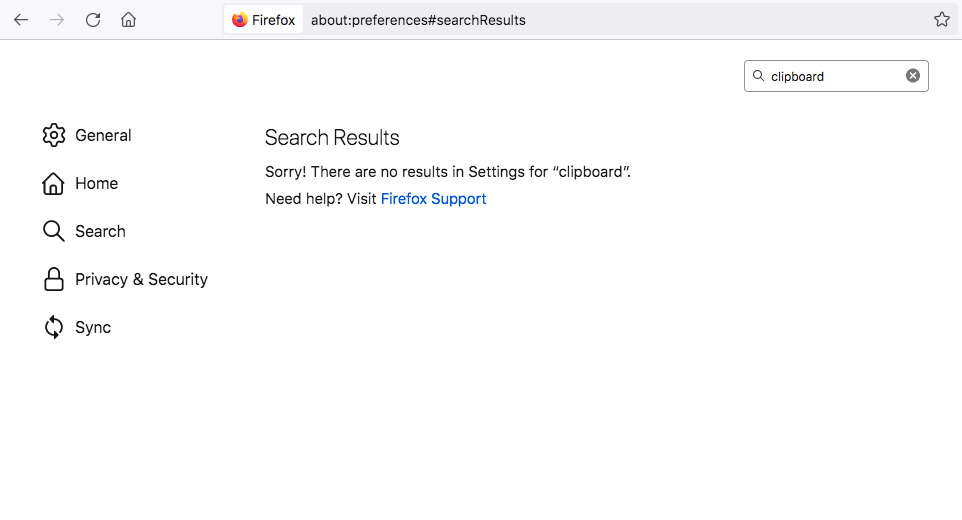
But Firefox Preferences shows NOTHING about the clipboard.
This seems to be the default in the latest Firefox – before I updated it there was an annoying popup that asked me to select Block/Allow access to clipboard *and I always clicked Allow*. Now it is blocked and I cannot turn off the block.
This has made Firefox unusable.
Wšykne wótegrona (11)
Use keyboard shortcuts in case the buttons on the webpage or other methods aren't working.
- Copy: Ctrl+C or Ctrl+Insert (Mac: Command+C)
- Paste: Ctrl+V or Shift+Insert (Mac: Command+V)
- Cut: Ctrl+X or Shift+Delete (Mac: Command+X)
It doesn't matter what _controls_ I use to C&P; when I Paste, I still get the message 'Access to clipboard denied - please update your browser Preferences'. Which indicates there is a browser setting that is denying access to the clipboard. So what I need to know is how to change that in Firefox Settings.
Does it happen also on this website?

Start Firefox using Troubleshoot(Safe) Mode {web link}
A small dialog should appear. Click Start In Troubleshoot(Safe) Mode (not Refresh). Is the problem still there?
Is this about a rich text editor that allow HTML formatted content ?
>Is the problem still there? Yes. And persists after clear cache, restart, uninstall/reinstall Firefox...
>Is this about a rich text editor that allow HTML formatted content ? Yes, maybe.
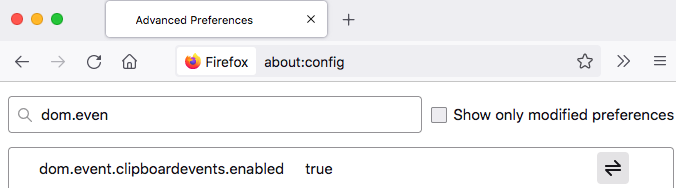
You can check this pref on the about:config page and make sure it is default (true).
- about:config => dom.event.clipboardevents.enabled = true
You can open the about:config page via the location/address bar. You can click the button to "Accept the Risk and Continue".
Wót cor-el změnjony
Yes, 'dom.event.clipboardevents.enabled' is set to 'true'.
Firefox doesn't allow access to the clipboard via JavaScript for security reasons.
You should normally be able to use the "Command + V" keyboard shortcut. Doesn't that work for you ?
>Firefox doesn't allow access to the clipboard via JavaScript for security reasons. Right, that's probably the reason then.
No, cmd+ v doesn't work.
Start your Computer in safe mode with network support. Then start Firefox. Try Secure websites. Is the problem still there?
Starting Any Computer In Safe Mode (web link) Free Online Encyclopedia
https://www.bleepingcomputer.com/tutorials/how-to-start-windows-in-safe-mode/
https://www.digitalcitizen.life/4-ways-boot-safe-mode-windows-10/ +++++++++++++++++++++++++++++++++++++++++++++++ If the problem goes away with the computer in Safe Mode, the problem is with one of the other programs on the system.
As a test, disable your protection programs.