

Toś ta nitka jo se archiwěrowała.
Pšosym stajśo nowe pšašanje, joli trjebaśo pomoc.

Archiwěrowany
Browser attempts to access blocked website on its own!
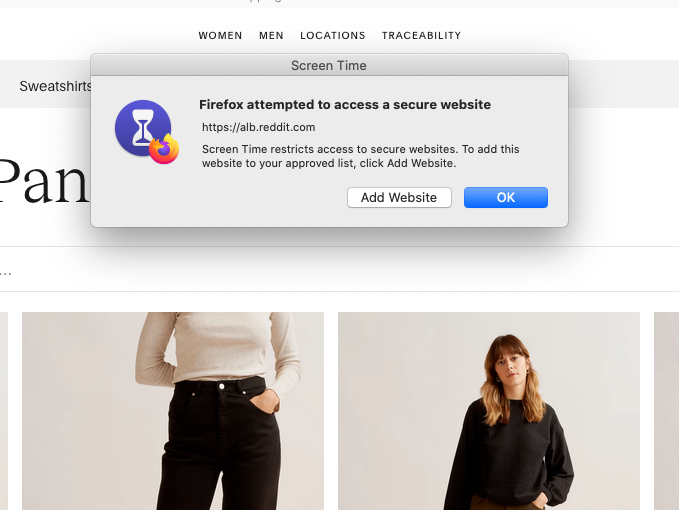
I recently blocked reddit.com using the screen-time feature on my Mac OS. But I've noticed that when I am browsing certain sites, like retail sites, I will receive pop-up windows (as pictured) that say that firefox is trying to access a secure website.
I've deleted the browsing data related to this site; I've deleted the cookies also. I'm not sure what else to do to remedy this...
It's gotten so bad that I will get the pop-up with every click on certain sites. Every new page generates a new pop-up.
Please help!
I recently blocked reddit.com using the screen-time feature on my Mac OS. But I've noticed that when I am browsing certain sites, like retail sites, I will receive pop-up windows (as pictured) that say that firefox is trying to access a secure website.
I've deleted the browsing data related to this site; I've deleted the cookies also. I'm not sure what else to do to remedy this...
It's gotten so bad that I will get the pop-up with every click on certain sites. Every new page generates a new pop-up.
Please help!
Wšykne wótegrona (1)
This isn't coming from Firefox as far as I know, so you will have to look elsewhere like security software or malware about how to fix this alert.
Do you possibly have enabled parental controls on your Mac?