


Not able to login to a site, and captcha not showing on another

Basically I am trying to login to Faceit, and ESEA, two platforms for CS:GO, but when i try to login to faceit it won't let me, and the same on esea, because it says i need to complete a captcha, but no captcha shows up. I've tried safe mode that hasn't worked, I've also tried uninstalling and reinstalling, as well as refreshing the whole browser but those haven't worked
Wšykne wótegrona (2)
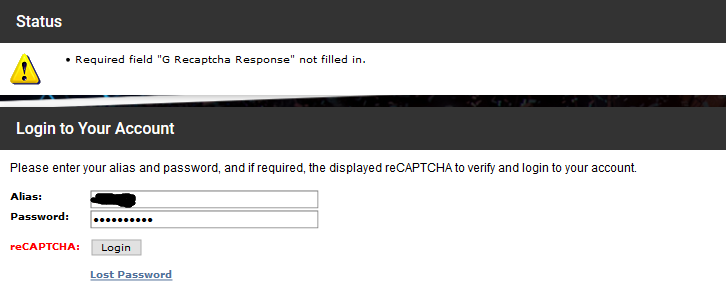
Image of example:

Make sure you are not blocking content.
Start Firefox in Safe Mode {web link}
A small dialog should appear. Click Start In Safe Mode (not Refresh). Is the problem still there?
One issue that seems more common lately is Firefox's Tracking Protection feature. When it is blocking content in a page, a shield icon will appear at the left end of the address bar next to the padlock icon. This article has more info on managing this feature: Tracking Protection {web link}