


I want the bookmarks sidebar, not history
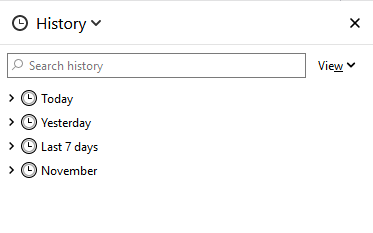
For many years, clicking the sidebar icon has opened a menu of bookmarks. Now, suddenly, it’s a History sidebar. I want the Bookmarks sidebar, based on bookmarks.html, back! Closing and reopening the sidebar, restarting Firefox, restarting the computer, don’t help.
I use Firefox bookmarks, organized in folders and subfolders and including many local PDF and HTML files, to organize my life! HELP!!
If it’s relevant, I have set browser.bookmarks.autoExportHTML and browser.tabs.LoadBookmarksInTabs to ’true’. The preference browser.bookmarks.file is set to ’bookmarks.HTML’ in my Documents folder, where it is automatically backed up by the product Box Sync,
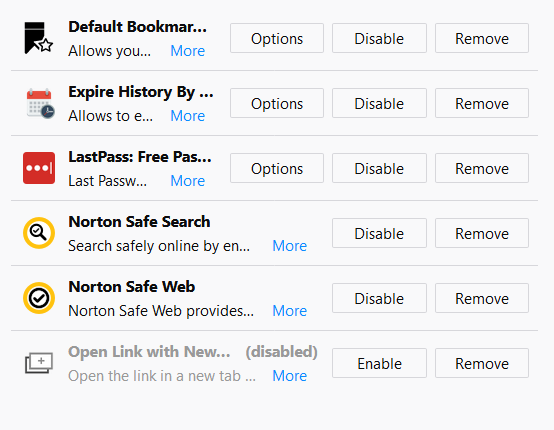
I have enabled the add-on ’Default Bookmark Folder’.
Wót pmbrown změnjony
Wšykne wótegrona (3)
Wubrane rozwězanje
I don't use the Sidebars button myself. When I want to open the Bookmarks Sidebar, I press Ctrl+b. Unless the site intercepts that to bold some text, it is reliable. But I digress...
If you prefer the button, try this:
At the top of the sidebar, click the large History heading and a list should drop down that lets you switch the contents of the sidebar. If you change it to Bookmarks, I've got my fingers crossed that Firefox will remember that going forward so you don't have to change it every time.
Could you let us know how that works out after a few hours?
More info on sidebar: Use the Firefox Sidebar to access bookmarks, history, passwords and synced tabs
Clicking the History heading did work.
Incidentally, the link you provided does not contain that information. It would be nice if it were on the Support website somewhere.
Thanks for you assistance.
Yes, the article could use some improvements! The good news is, anyone with a login on this site can edit an article. But I'll understand if you're too busy to work on it today. Maybe if you get some free time later this month, you can take a crack at it. On the left side of the page, click "Editing Tools" to get started.