


Poor font rendering
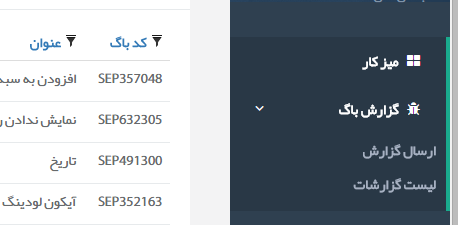
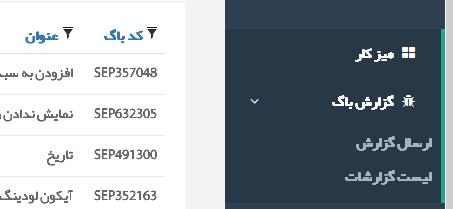
Hi, After firefox +38, I got poor font rendering, I added 2 photo, rendering same page in Google Chrome & Firefox. What is wrong with Firefox?
One of added photo is interesting for firefox support team, btw !
Thanks for your help.
Wót Mehdi změnjony
Wšykne wótegrona (5)

Could this be the same as https://support.mozilla.org/en-US/questions/1071657 ?
If so, this is solved via ClearType. Older solutions mention disabling hardware acceleration, toggling gfx.content.azure.enabled and gfx.direct2d.disabled (with HW acceleration otherwise on), and setting layout.paint_rects_separately to true.
PS. Also note the "gfx.downloadable_fonts.woff2.enabled = false" suggestion in the first question.
Wót Phoxuponyou změnjony
Thanks for the answer, but no, I tired all mentioned solution include ClearType and no success.
Also based on added images, everything is fine in Chrome, why ? !
Okay, will have to investigate further.
Short answer for different results on different browsers: they use different engines.

Type about:preferences#content<enter> in the address bar. Across from fonts and colors, press the Advanced button. On the bottom, turn on Allow Web Sites To Choose Their Own.
You can check for corrupted and duplicate fonts and other font issues: http://www.thexlab.com/faqs/multipleappsquit.html - Font Book 2.0 Help: Checking for damaged fonts http://www.creativetechs.com/iq/garbled_fonts_troubleshooting_guide.html
You can right-click and select "Inspect Element" to open the Inspector (Firefox menu button or Tools > Web Developer) with this element selected.
You can check the font used for selected text in the Font tab in the right pane of the Inspector.