


Change search engine to specific website url

I have problem changing the search engine url for both url address bar, and the search engine plugin. My Firefox version is 35.
Specifically, I want to use Google.co.uk for every search, but it goes to different country of Google.
I tried changing the about:config->keyword.URL: value: "https://www.google.co.uk/#q=" , but it doesn't work,
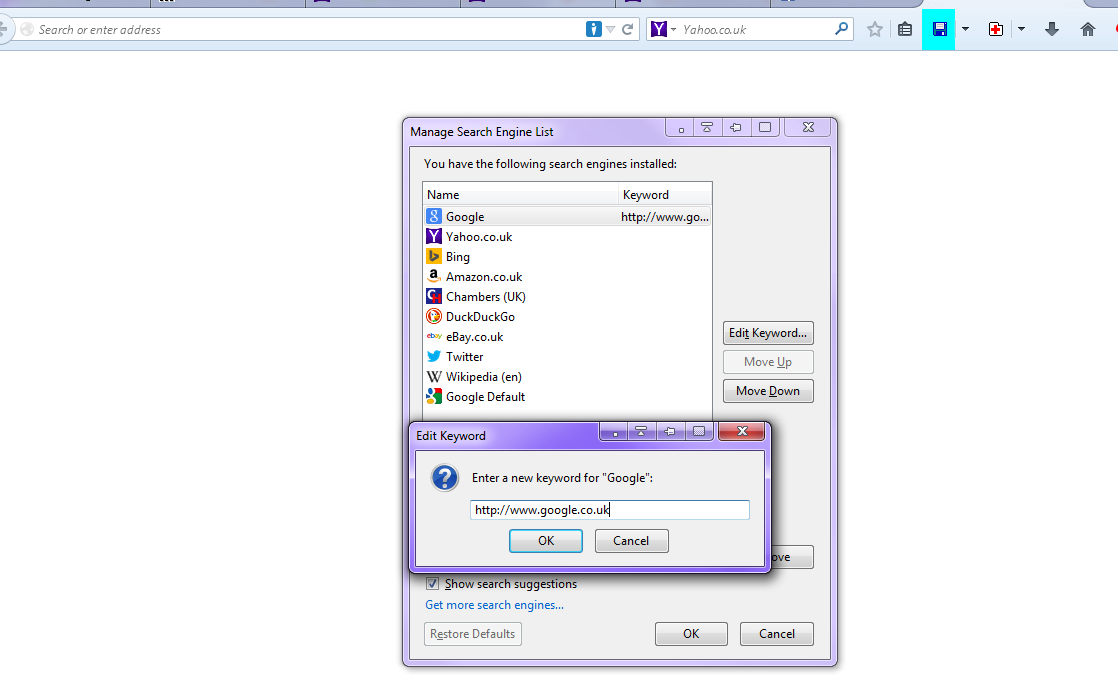
I also tryied changing the search engin plugin, which doesn't work either.
Wubrane rozwězanje
You need to install a search engine for your preferred country and select this search engine in "Options/Preferences > Search" as the default search engine.
Wšykne wótegrona (7)
Please find enclosed my screenshot.

You can find Google search engines, including a 'No country redirect' version, on the Mycroft Project website.
Hi,
Could you please elaborate on how your solution help me?
Wubrane rozwězanje
You need to install a search engine for your preferred country and select this search engine in "Options/Preferences > Search" as the default search engine.
Further to my post, if I type google.co.uk into address bar, it doesn't redirect. It redirects to other county of google when I type search key words into either address bar and the search engine plugin.
cor-el said
You need to install a search engine for your preferred country and select this search engine in "Options/Preferences > Search" as the default search engine.
Hi,
Thank you for your advice. I will test it.
Some sites automatically redirect you to a site in the local language, based on where your IP locates you. You can check the installed Languages: Tools > Options > Content > Languages There is usually a link on such websites choose a language or go to an international version that allows to choose the language. Clear the Google cookies: Tools > Options > Privacy > Cookies: "Show Cookies"
You can find Google search engines, including a 'No country redirect' version, on the Mycroft Project website.