

Toś ta nitka jo se archiwěrowała.
Pšosym stajśo nowe pšašanje, joli trjebaśo pomoc.

Archiwěrowany
firefox v31.4.0 how do I make the default browser

available directions for making firefox v31.4.0 my default browser do not apply for this version. System Defaults do not appear under preferences->advanced->general
available directions for making firefox v31.4.0 my default browser do not apply for this version.
System Defaults do not appear under preferences->advanced->general
Wšykne wótegrona (3)

it would be under menu>preferences>general , not under advanced.
Have a great day!
-Jon
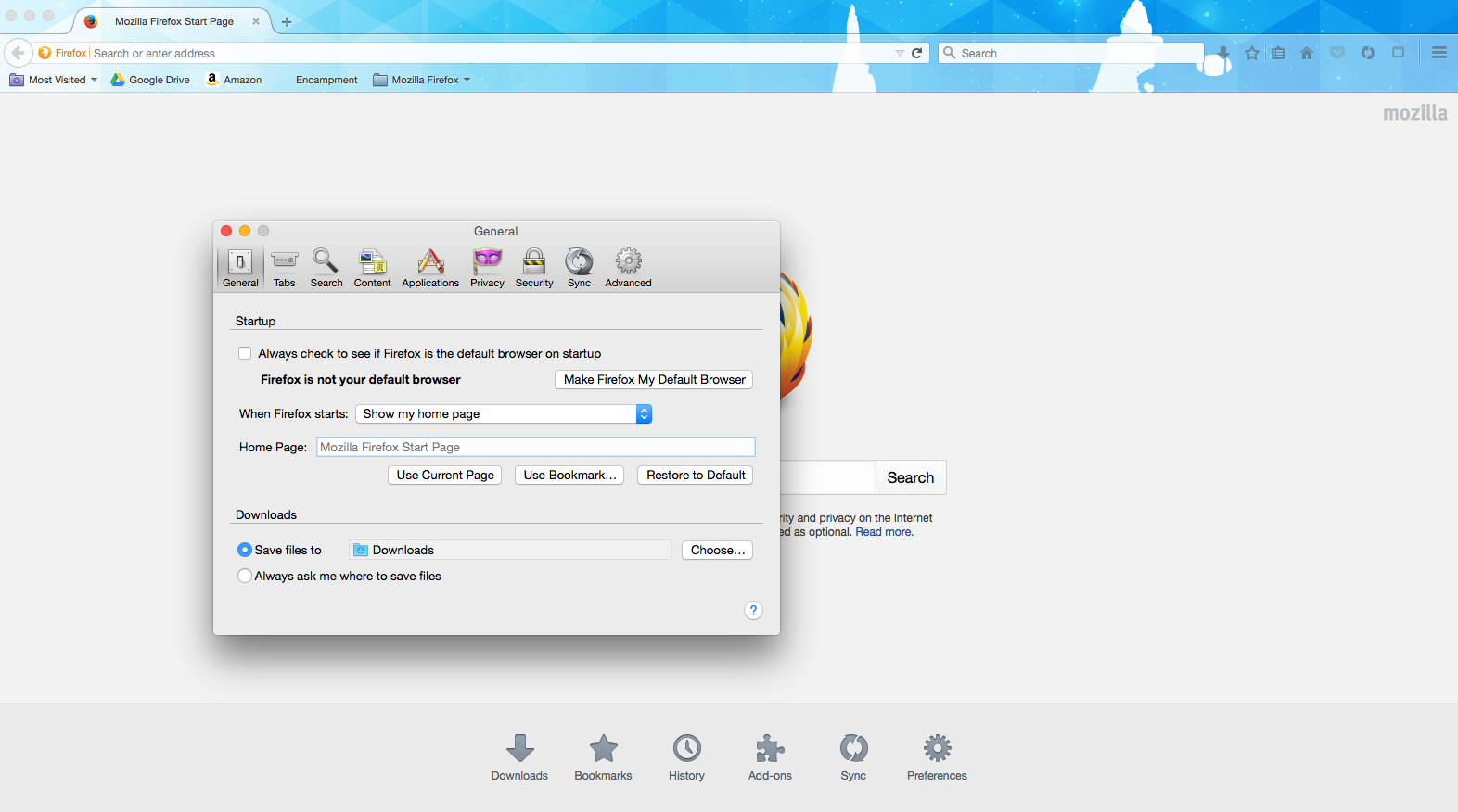

Type about:preferences#general<enter> in the address bar. Turn on Always Check Firefox Default Browser.
This may have been disabled if you use a Firefox version from the repositories.
Try the version from the official Mozilla server if you currently use a version from the repositories of your Linux distribution.
You can find the full version of the current Firefox 31 ESR release in all languages and for all Operating Systems here: