


Inspector on firefox developer tools is blank

I have troubles with developer tools in the inspector tab.
By moment, the panel is totally empty. the panel with rules, computed, fonts, ... is fine and the path is also active, but the main panel with the html structure is blank.
I have to close the developer tools and re-open to re-enabled this panel and after some times or some actions (don't know what exactly) the panel is blank again.
I'm using Firefox 26 (but it was the same on FF25) on elementary OS Luna ( based on Ubuntu 12.04 64 bits)
Thanks. Julien.
Alle Antworten (2)
Ausgewählte Lösung
Hi bibichette,
Thank you for contacting support. That is strange that the Inspector is blank when you inspect an element on the page. What have you tried already?
- Please see if your driver is blocked https://wiki.mozilla.org/Blocklisting/Blocked_Graphics_Drivers
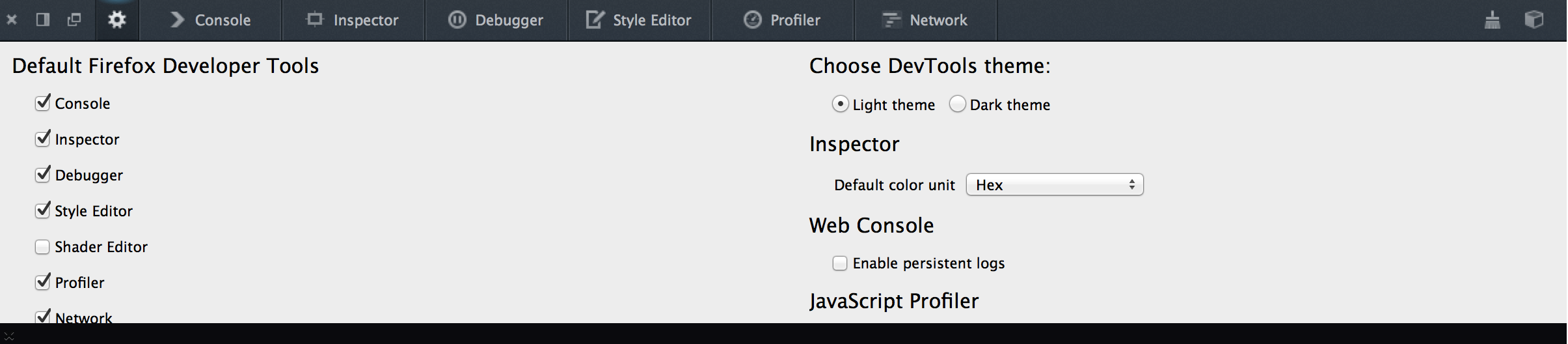
- Try to toggle the Inspector in the gear menu [Picture attached]
- Reinstall Firefox After exporting profiles and preferences Restore bookmarks, passwords and data from an old Firefox profile ]
Please let us know how this goes, we are happy to help.
Hi,
As my user profile is pretty old and have seen a lot of FF version and addons, I've reinstalled Firefox and now it seems to work as expected.
Thanks.