


Youtube videos are blank black screen only on my firefox browser.

I can't play any youtube videos on my firefox. All my programs are update to date. Also youtube videos are working for my internet explorer but not on my firefox. I have the latest version 3.6.13
I'm on a PC 32 bit home basic vista.
Geändert am von helpthisgame
Ausgewählte Lösung
Start Firefox in Use Troubleshoot Mode in Firefox to check if one of the add-ons is causing the problem (switch to the DEFAULT theme: Tools > Add-ons > Themes).
- Don't make any changes on the Safe mode start window.
See:
- Troubleshoot extensions, themes and hardware acceleration issues to solve common Firefox problems
- Troubleshoot issues with plugins like Flash or Java to fix common Firefox problems
If it does work in Safe-mode then disable all extensions and then try to find which is causing it by enabling one at a time until the problem reappears.
- Use "Disable all add-ons" on the Safe mode start window to disable all extensions.
- Close and restart Firefox after each change via "File > Exit" (Mac: "Firefox > Quit"; Linux: "File > Quit")
Alle Antworten (20)
Try turning off hardware acceleration for Flash, that can sometimes resolve issues with Flash videos not playing. Right-click on any Flash video, click "Settings", select the Display tab and uncheck “Enable hardware acceleration"
It tried this but I still have the black blank screen.
are you serious no one knows how to solve this problem?

Maybe something here?
Ausgewählte Lösung
Start Firefox in Use Troubleshoot Mode in Firefox to check if one of the add-ons is causing the problem (switch to the DEFAULT theme: Tools > Add-ons > Themes).
- Don't make any changes on the Safe mode start window.
See:
- Troubleshoot extensions, themes and hardware acceleration issues to solve common Firefox problems
- Troubleshoot issues with plugins like Flash or Java to fix common Firefox problems
If it does work in Safe-mode then disable all extensions and then try to find which is causing it by enabling one at a time until the problem reappears.
- Use "Disable all add-ons" on the Safe mode start window to disable all extensions.
- Close and restart Firefox after each change via "File > Exit" (Mac: "Firefox > Quit"; Linux: "File > Quit")
Thanks cor-el I disabled the extension and it worked!
You're welcome.
Can't you tell us which extension caused your problem?
It helps others who read this thread.
Adblock plus sold us out to Youtube ads -.- Disable your Adblock plus on youtube or you won't be able to watch videos.
Geändert am von helpthisgame
I have similar problem. When I try to open a video with Firefox in youtube I get the message: "an error occurred, please try again later". Nevertheless, if I send the link to my self in a e-mail, and read the e-mail with my gmail in Firefox, then I can watch the video inside the e-mail. Also I can wotch youtube video in orkut. I've tried disabling all extensios and plugins and finally found out that I have two plugins related to this subject:
1) Shockwave Flash 10.1 r999. With only this plugin, it happens as described above;
2) Shockwavw Flash 10.1 r102. With only this plugin, the video in youtube page are just black and nothing happens; in the email the video does not work.
It is interesting that in google chrome only the plugin Shockwavw Flash 10.1 r102 appears in the list of plugins and everything works just fine.
noscript was my problem so i have to disable it when i watch youtube

Have you tried reducing the resolution?
I was having this problem too, disabling extensions and add ons did not work and neither did safe mode. However I found that it was fine when I used in private browsing. So I flushed the cache and the cookies and everything started working perfectly again. You may lose some settings though when you flush your cookies.
I have Adblock plus installed and I am certain the problem I had was NOT due to Adblock plus as I created a new profile and installed adblock plus and have been able to load flv's thru Youtube and other sites. Cannot blame adblock or flashblock or flashgot as they are playing very nice with Youtube and all other sites with videos...So far
I have a similar problem, when I try to watch YouTube I get a black screen and loading symbol that appears before the video starts, but then it get stuck and image never appears, I can hear the video and everything but can't see the image, if the video is embedded in another website I can watch it perfectly, but if I go to youtube.com then the problem shows up, I dont have any problems with other stream websites, or IE, I'm using version 3.6.13 on Windows 7 with the latest version of flash installed, please help, I dont wan't to have to go back to IE//
I have firefox 3.6.13 and latest flash player installed. yesterday i had no problems viewing any youtube videos but today all the videos on youtube website appear as a black screen i dont have any problems with intenret explorer i haven't installed any plug in till yesterday
i have tested safe mode on firefox and disabled ALL but flash player but still have the same problem the interesting thing is that all videos appear completeley ok on Facebook website so they all get start playing in facebook from youtube! but in facebook i think it's a problem from youtube website.
any suggestions?
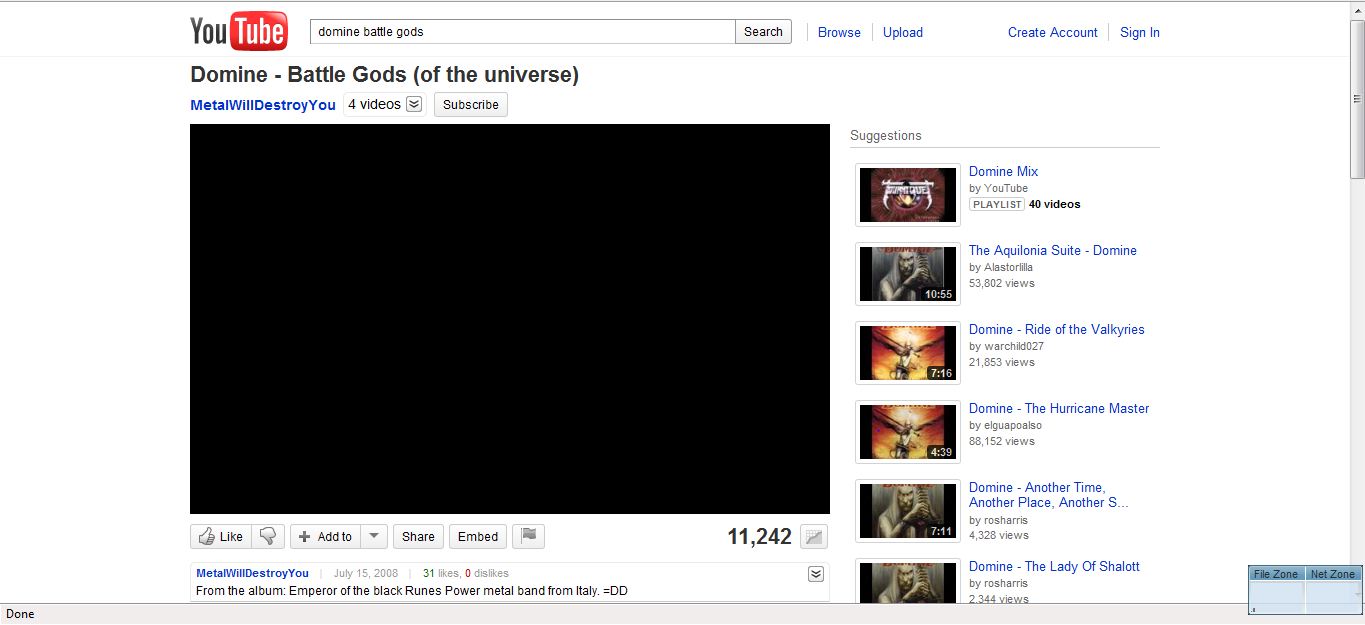
I had the same problem, deleting the history and all cockies was the solution.
BIG Thank you, it works just fine now!
Do you have AdBlockPlus in use? I had same problem with my FF 3.6.13 and ABP 1.3.3. Problem was caused by AdBlockPlus.
FIX: ABP --> force a subscription update by opening the Tools menu, selecting the Adblock Plus preferences, and then "Filters", followed by "Update all subscriptions".
Fix found from ABP forum
I Have Vista 32 home premium, but I guess it`s not related to operating system
You don`t have to disable ABP completely. See my post in this thread.
problem came back, I erase all history and cookies and YT works fine when I play a video, but when I try to open another video the problem returns!!! I have to keep erasing history to see just one video.. this is crazy!! HELP!