


Windows 10 reached EOS (end of support) on October 14, 2025. If you are on Windows 10, see this article.

Hilfe durchsuchen

Vorsicht vor Support-Betrug: Wir fordern Sie niemals auf, eine Telefonnummer anzurufen, eine SMS an eine Telefonnummer zu senden oder persönliche Daten preiszugeben. Bitte melden Sie verdächtige Aktivitäten über die Funktion „Missbrauch melden“.

Weitere Informationen
Archiviert

Fonts look a bit ugly?

cor-el beantwortet
ffilou6

I have a 17" screen, 1024x768. After updating Mozilla Firefox, I look at this page http://www.mozilla.com/en-US/firefox/3.6.12/whatsnew/ .

Firefox Extension: NoScript.

1)Before allowing scripts: fonts look clean and readable. http://i852.photobucket.com/albums/ab81/ffilou6/ff3612a.png ;
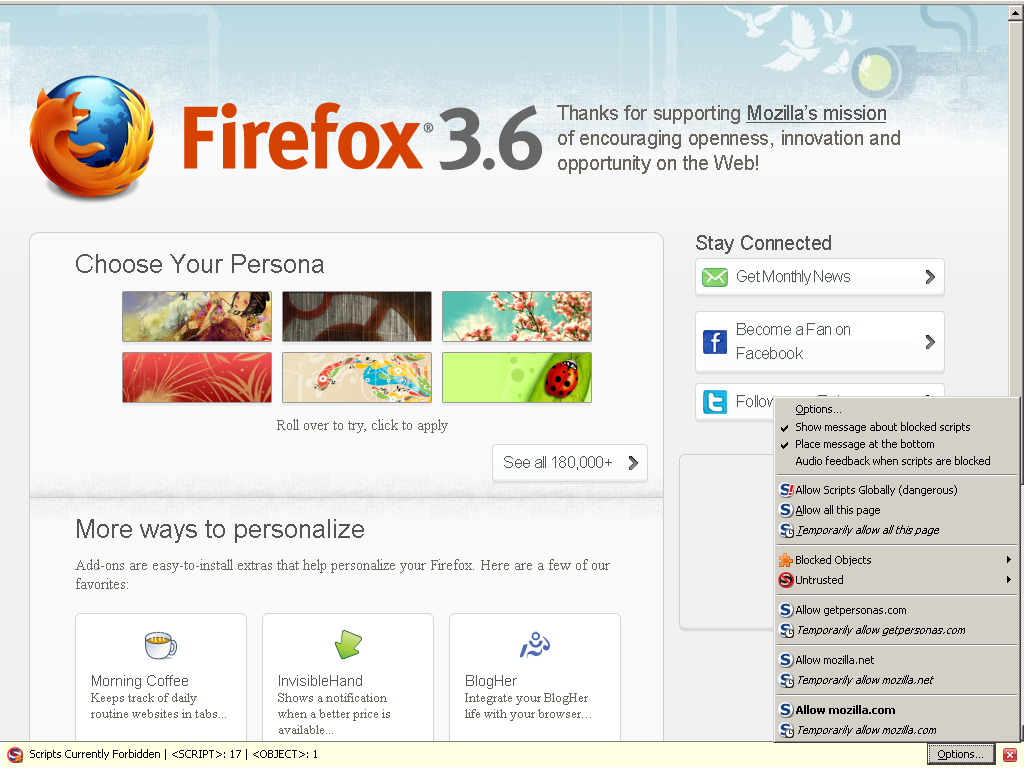
2)After allowing scripts: fonts look a bit ugly, bold and kind of blurry, not precise and straight, aliased http://i852.photobucket.com/albums/ab81/ffilou6/ff3612b.png .

I hope in the next Firefox updating page, fonts will look better :-) .

I have a 17" screen, 1024x768. After updating Mozilla Firefox, I look at this page [http://www.mozilla.com/en-US/firefox/3.6.12/whatsnew/ http://www.mozilla.com/en-US/firefox/3.6.12/whatsnew/] . Firefox Extension: NoScript. 1)Before allowing scripts: fonts look clean and readable. [http://i852.photobucket.com/albums/ab81/ffilou6/ff3612a.png http://i852.photobucket.com/albums/ab81/ffilou6/ff3612a.png] ; 2)After allowing scripts: fonts look a bit ugly, bold and kind of blurry, not precise and straight, aliased [http://i852.photobucket.com/albums/ab81/ffilou6/ff3612b.png http://i852.photobucket.com/albums/ab81/ffilou6/ff3612b.png] . I hope in the next Firefox updating page, fonts will look better :-) .

Alle Antworten (1)

Reset the page zoom on pages that cause problems: View > Zoom > Reset (Ctrl+0 (zero); Cmd+0 on Mac)

See also Websites look wrong or appear differently than they should


You can enable ClearType system wide for all programs to make other programs like Firefox use it.

XP: Control Panel > Display > Appearance > Effects: "Use the following method to smooth edges of screen fonts"

See http://support.microsoft.com/kb/306527 - HOW TO: Use ClearType to Enhance Screen Fonts in Windows XP

Geändert am von cor-el