


Search broken in 160.0 (64-bit)

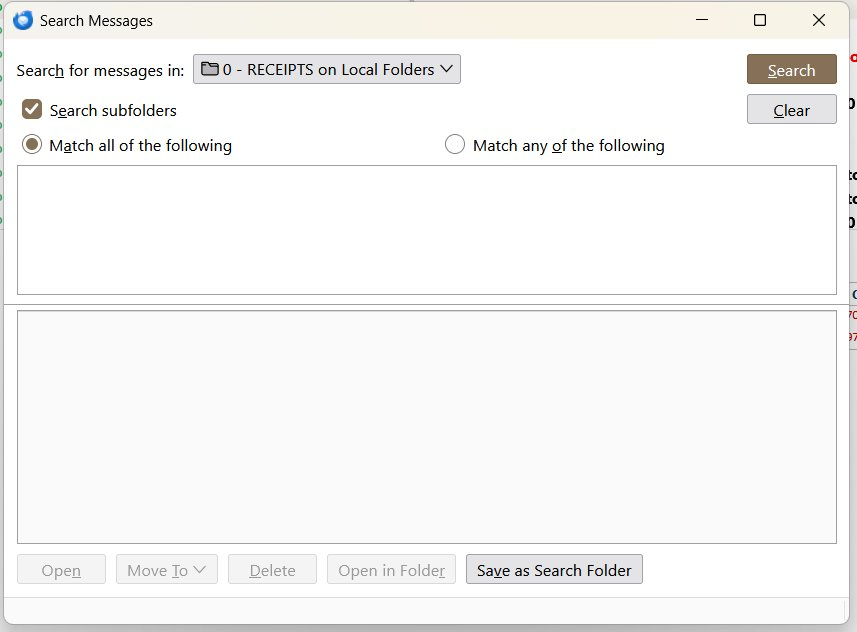
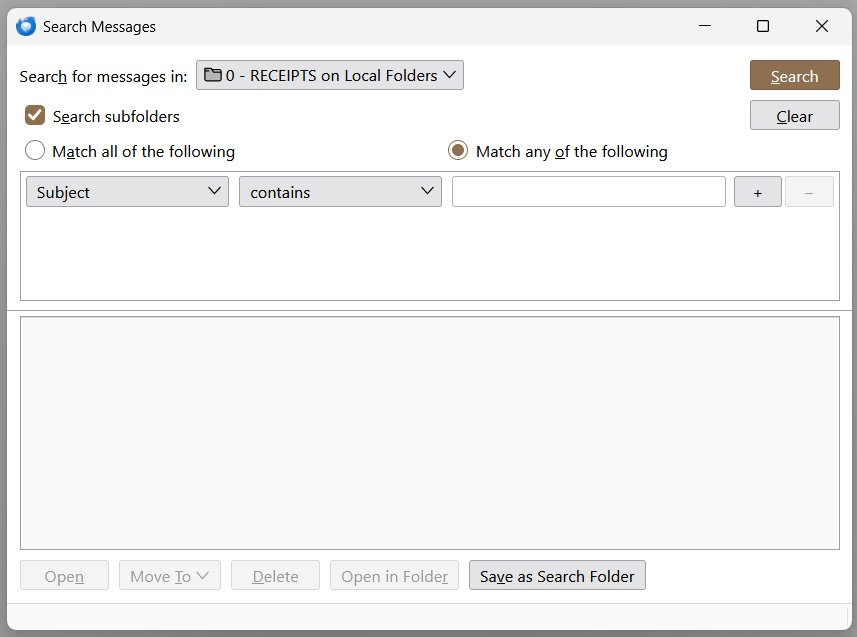
Seems that the search function - pick a folder and then "search" is now not working. The fields do not populate - it is a blank upper box where you enter search terms.
Clicks on "search" with nothing entered for search terms followed by "clear" then populates the search choices. Also note, when ON a folder - selected in the tree, then selecting "search" does not retain the folder - it must be manually found in the selection search folder drop down.
Alle Antworten (6)

Works just fine here with TB160.0 on Linux. Try Troubleshooting Mode and see whether this makes any difference. https://support.mozilla.org/kb/troubleshoot-mode-thunderbird

If you use the add-ons Cardbook or QNote (and maybe others,) you may be encountering a bug in those add-ons. The Cardbook developer has acknowledged the bug and provided a workaround and promised to fix it in the next release. I don't know about QNote, but it's developer should be contacted about it.
Restarting Thunderbird in Troubleshoot Mode as recommended by christ1 above would implicate a misbehaving add-on.
You can read my recent conversation about it here:
It is an addon apparently. Which one I do not et know. Over time I will disable them one at a time until it works, but setting a folder and hitting clear works for now and retains my functionality as I like it so I may sacrifice some search speed opening for work speed. Appreciate the help. FYI - do not use any of the addons mentioned. I am providing a screenshot of my addons menu for others to see as they may have the issue too.
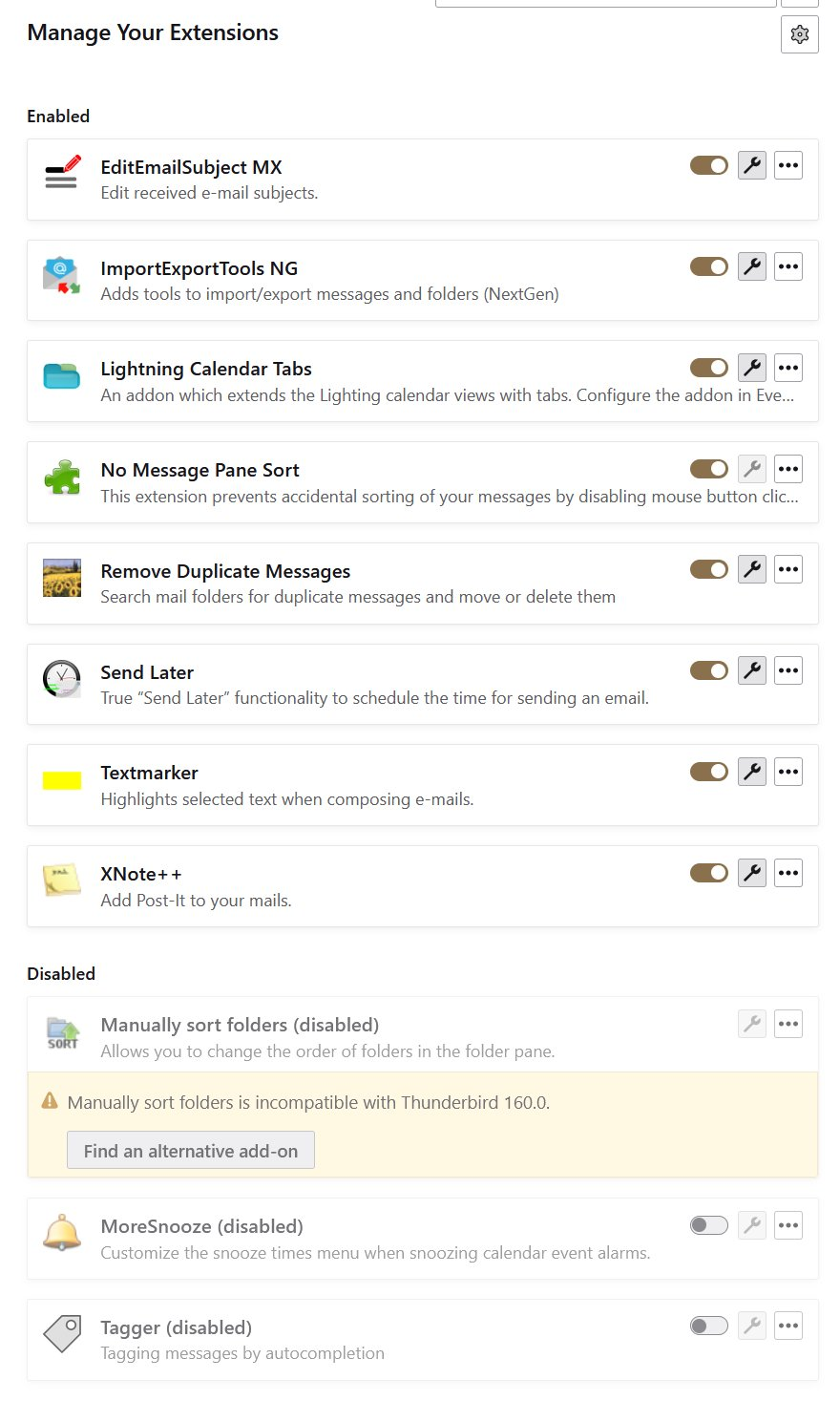
If you can figure out which one it is I would appreciate if you would mention it here. I believe QNote is an updated version of Xnote++. which makes me wonder if they would both be subject to the same bug, so try that one first.
This seems to me to be in a gray area. Strictly speaking, the add-on developers are responsible for keeping their product compatible with new Thunderbird versions. But in this case, it seems like something changed in Thunderbird 160 to break several add-ons. If that was intentional, so be it. But maybe it was accidental. I don't know how to ask the TB developers about that.
gr6 said
It is an addon apparently. Which one I do not et know.
In your case the culprit would be XNote ++. For other users with this problem it could also be Full Address Column or ShowInOut. See this bug https://bugzilla.mozilla.org/show_bug.cgi?id=2093282 The bug should be fixed in v161 oder 162....
Per previous - You are correct - it is XNote causing the search issue.
I disabled XNote, rebooted Tbird, installed QNote, rebooted Tbird, same issue with both XNote and QNote.
I am opting for now to keep XNote, but it's days may be numbered. Funny, it worked with previous versions up till the latest update.