


Native Form Validation Not Working

ChatGPT wrote code for me for an electricity cost calculator. The Boolean "required" attribute is used for several <input> elements. This is supposed to cause the browser to popup a notification if data isn't entered in the panels when the Submit button is clicked/tapped on a form. Now this works on Windows using the Firefox browser, and in the Chrome app on Android, but not in the Firefox app on Android. Android version is 16. Firefox is v159.0
This is an example of the code for a text input box:
     <label>Electricity unit cost (per kWh in cent or pence)</label>
     <input id="ec-rate" required="" type="number" />
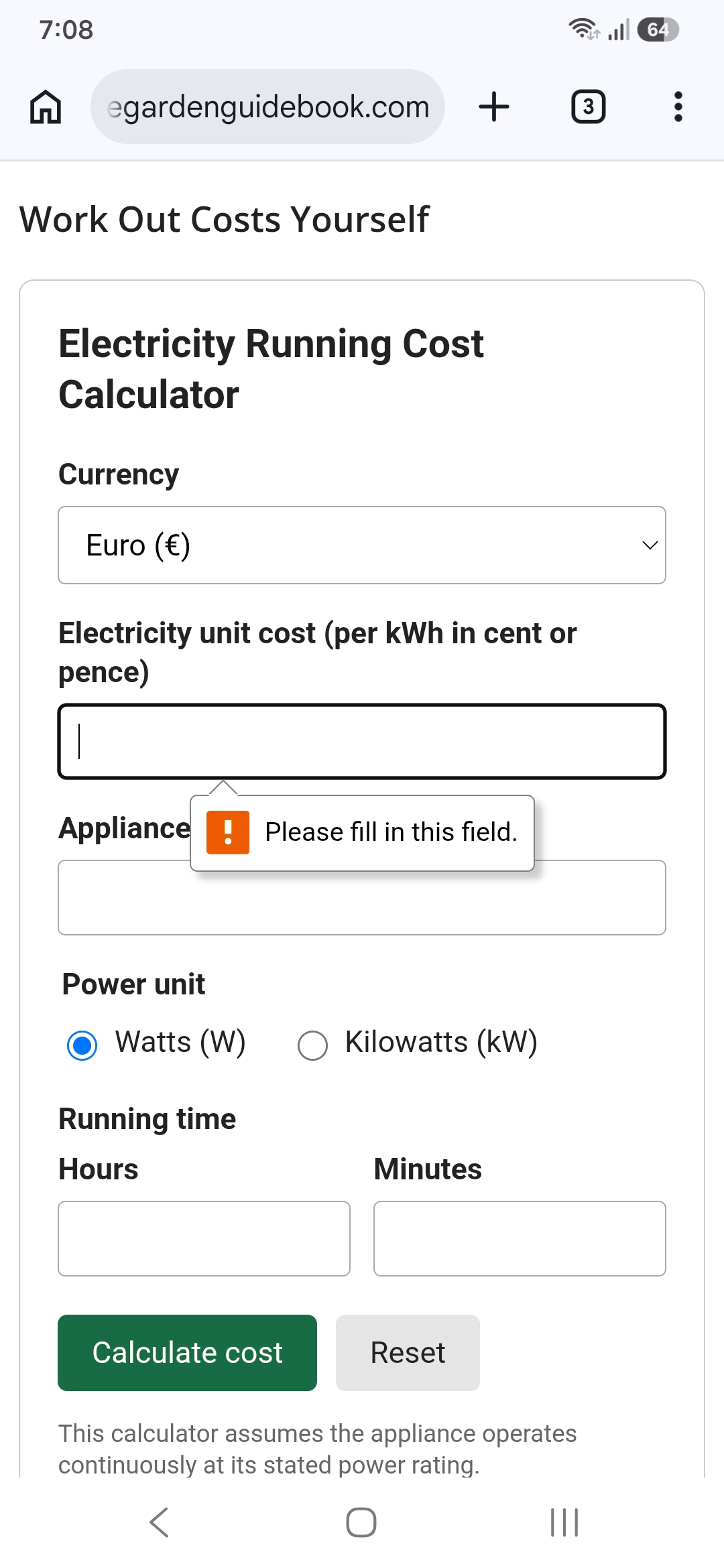
The attached screenshot shows what the Chrome app does, popping up a notification to enter data if nothing was entered before submitting the form. Firefox just doesn't do anything when I tap the Submit button. ChatGPT added a secondary data check in JS to cater for the scenario where a form is submitted with no entries in the hours or time boxes. I removed the required attribute in the code for these boxes so that either box could be left unfilled (a user can enter hours or minutes without having to enter both).
Geändert am von eugbug1
Ausgewählte Lösung
You're not doing anything wrong, we don't support it yet. It's a painful issue, not resolved since the beginning.
Alle Antworten (3)
I don't see any questions here. Do you have any?
TyDraniu said
I don't see any questions here. Do you have any?
On the 4th line. I'm reporting an issue. My question is am I doing something wrong or do I have to change the settings in my browser to make these notifications work? The code is working on other browsers. Maybe Firefox doesn't support these validation checks. It does on desktop.
Geändert am von eugbug1
Ausgewählte Lösung
You're not doing anything wrong, we don't support it yet. It's a painful issue, not resolved since the beginning.