


Arrange window to the left / right shortcut command

Like cmd M it would be great to arrange a window to the left or right by a keyboard shortcut.
Alle Antworten (8)
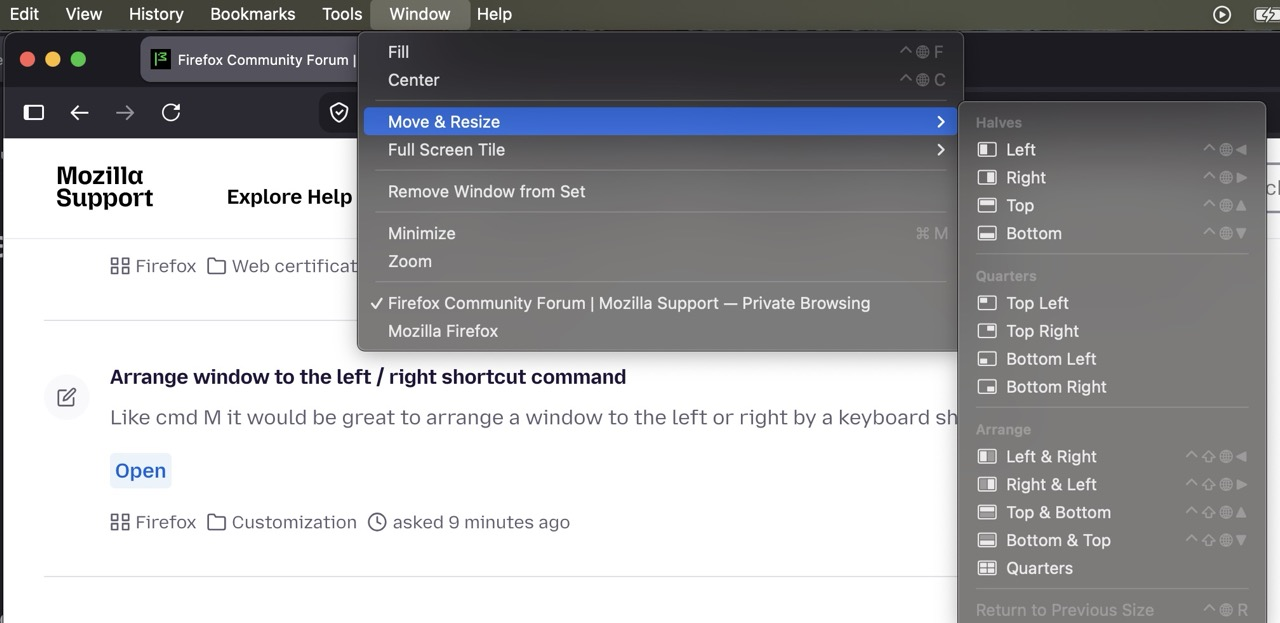
These shortcuts are provided by the system. Check "Window" › "Move & Resize" — mine are Control + Globe + arrows for example:
on a macbook? does not work on my macbook pro mid 2012 with firefox 156
MacBook Air M1, 2020 — running macOS 15.8 Sequoia. These menu items would be defined by your system, i.e. your particular macOS version.
What items do you see in the "Window" menu, and potentially in the "Move & Resize" section?
Funny that is comes in German the top two lines. I'm in a German speaking area, but all is English on my Macbook
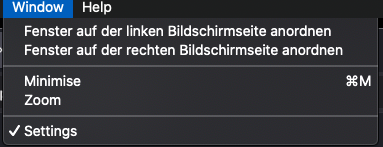
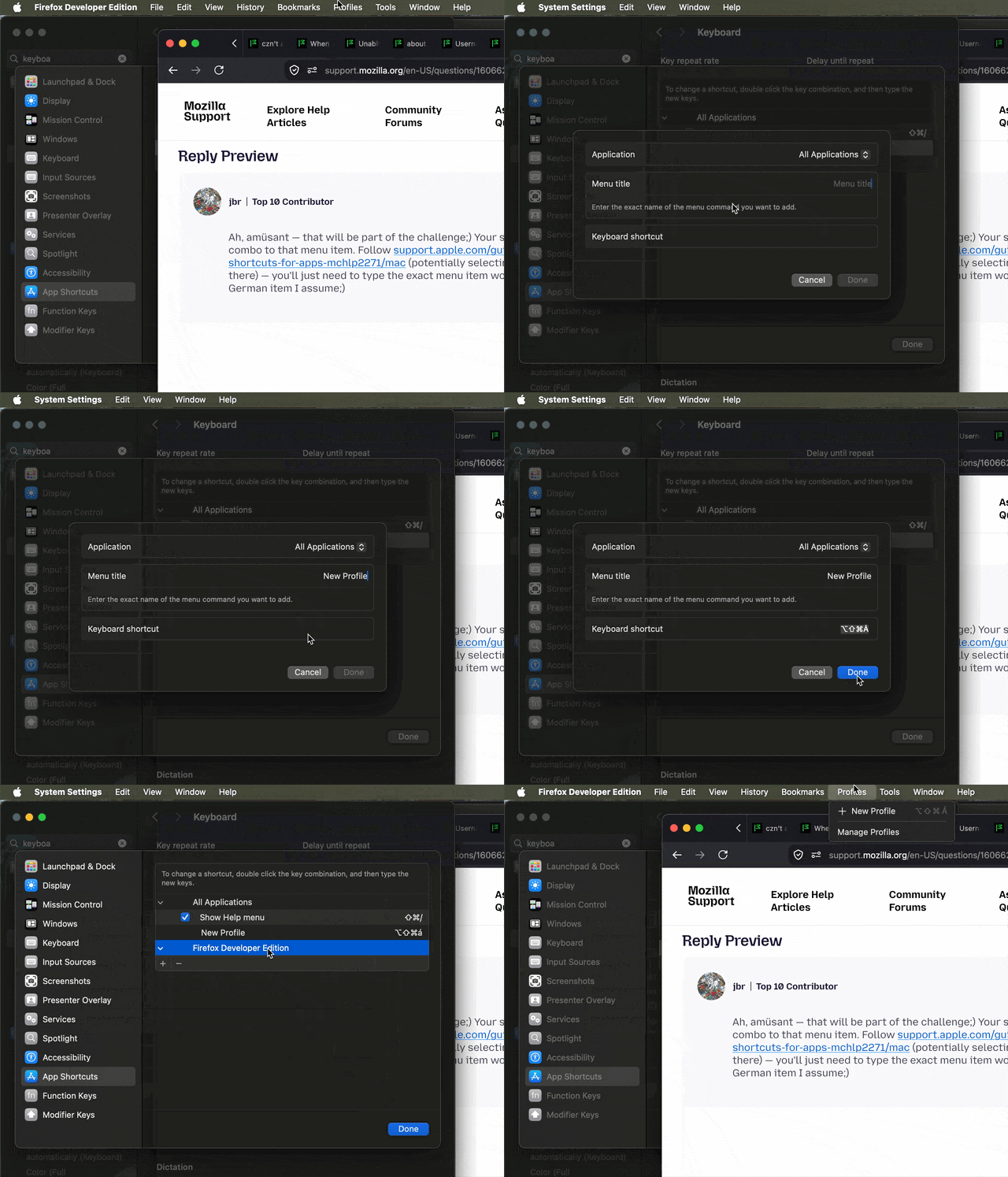
Ah, amüsant — that will be part of the challenge;) Your system can be customized to add a key combo to that menu item. Follow support.apple.com/guide/mac-help/create-keyboard-shortcuts-for-apps-mchlp2271/mac (potentially selecting your OS version from the dropdown there) — you'll just need to type the exact menu item wording in there — in this case the German item I assume;)
This is how the system–level shortcut functionality works, for any app or system–wide, for menu items:
I would prefer to have it in Firefox menu. Can I install the English Firefox version to have your menu options?
You would need to upgrade your macOS most likely. The items do not come from Firefox. The contents of "Window" menu is driven by the operating system I assume.
Can't, but the shortcuts are working ;) Thx