


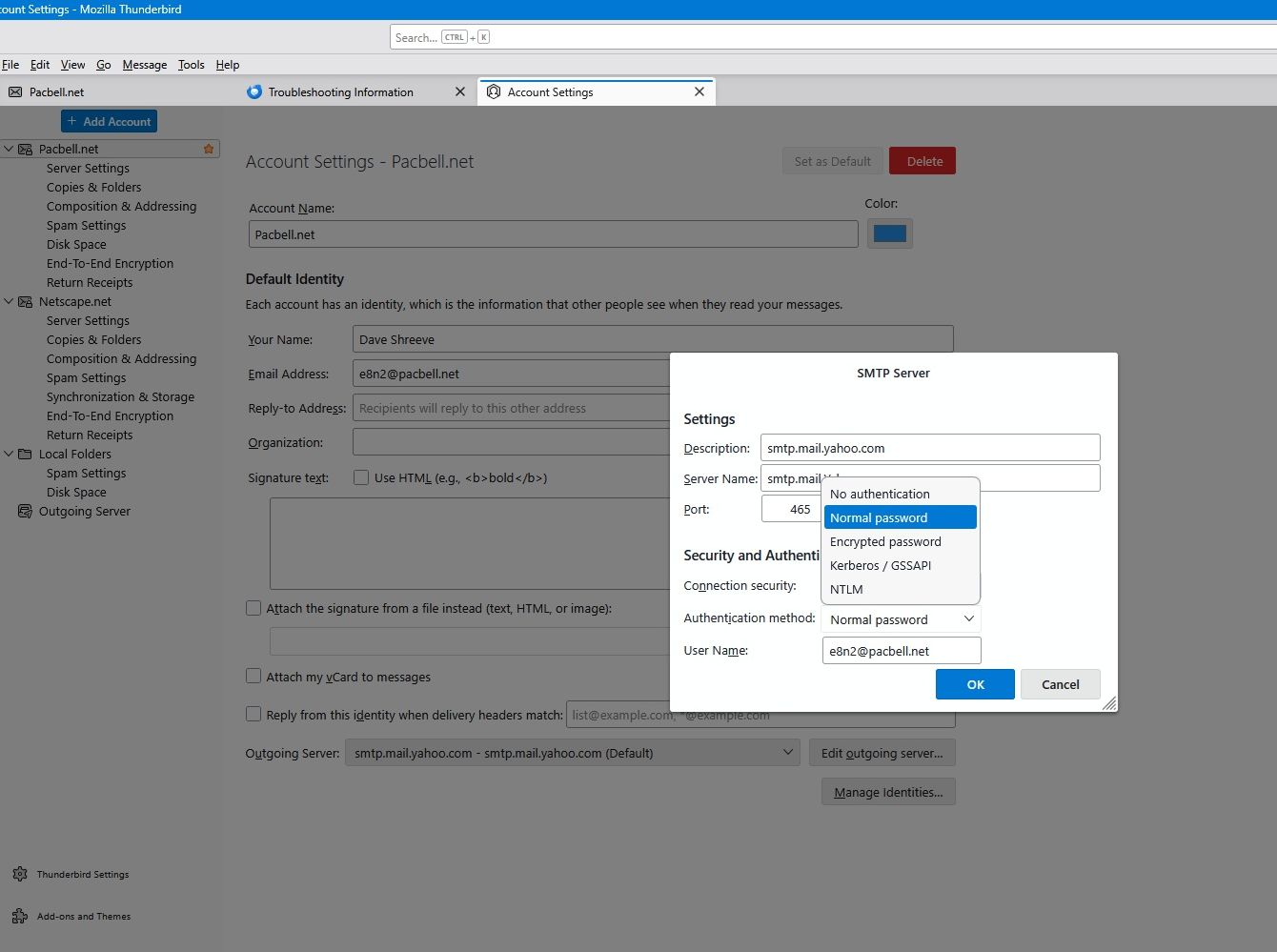
Even with verions 152.01, Oauth for smtp through Yahoo.com is not an available choice on this particular computer. All other computers have it.

Yahoo.com decided to be jerks and changed everything to get into our email. I was overseas at the time and got it taken care of for the laptop I was using on my trip. When I got back home I updated the rest of my computers to the new settings. However, this computer I am on, my secondary desktop, absolutely positively does NOT show Oauth as a choice for smtp on my Pacbell.net account which has to go through Yahoo.com. All the other server settings are working fine. I can get email, I just can't resply unless I go to my Netscape.net account which goes through AOL. It shows Oauth for AOL. The rest of the computers, and even a new laptop, all work just fine and all are on version 152.01. Even SeaMonkey email has Oauth for smtp but they have done a terrible job of keeping it updated that I can't use it for my Pacbell.net account because I can't enter the new password. Everything is a blank screen for log in and password entry. I am getting tired of having to reply to messages on my Pacbell.net account through the Netscape.net account. What can I do short of a clean reinstall of windows?
Alle Antworten (1)

I'm assuming the Pacbell/Yahoo connection is similar to other ISPs such as AOL and Comcast who passed their email service over to Yahoo, although you still use your old email address to logon. Otherwise the account is all Yahoo.
There are a couple of of factors to make Yahoo work with Thunderbird. One is the use of OAuth2 for authentication. Sometimes you have to take some extra steps to force a re-authentication. If that seems to be the case, try these steps:
- Make sure cookies are allowed (<Settings | Privacy & Security | Web Content | Accept cookies from sites>); This may be the real magic bullet in your case and may allow OAuth to show as an authentication option.
- Delete all cookies for that account (<Settings | Privacy & Security | Web Content | Show Cookies>);
- Delete all passwords for that account from saved passwords (<Settings | Privacy & Security | Passwords | Saved Passwords>);
Now restart Thunderbird. You will be asked for your credentials, an OAuth2 token will be set, and hopefully they will be accepted and mail retrieval will resume.
Another thing that may be going on has to do with Yahoo implementing some new security measures. This can affect you if you have multiple Yahoo accounts set up in Thunderbird. If that's the case, you may need to take some extra steps so that Thunderbird is able to keep your accounts separate during authorization. This article describes the situation - the relevant part is the section titled "Configure a Thunderbird preference to make multiple accounts work":
OAuth2 Authentication for Yahoo, AOL and ATT https://support.mozilla.org/en-US/kb/thunderbird-and-yahoo