


We're unable to complete your request error when Thunderbird opens

I get the following error whenever I start Thunderbird :-
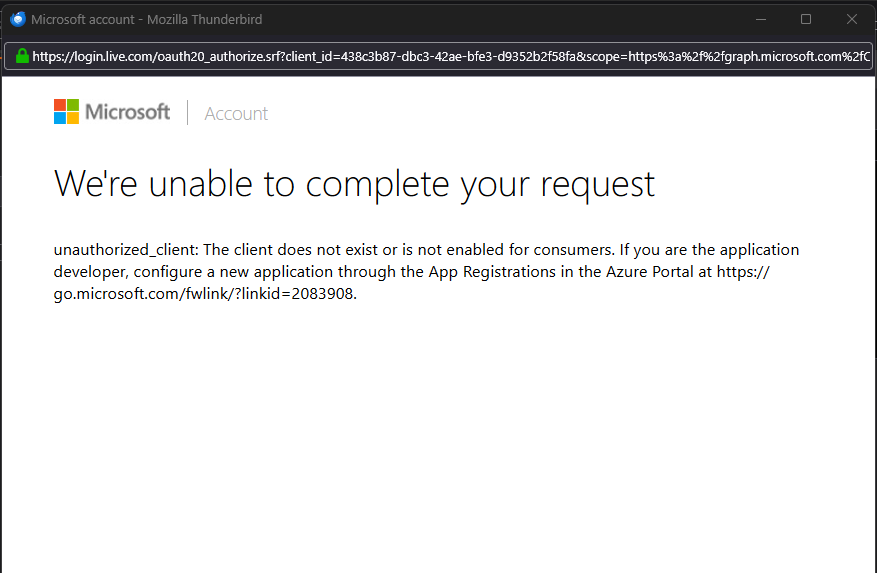
Microsoft account We're unable to complete your request
unauthorized_client: The client does not exist or is not enabled for consumers. If you are the application developer, configure a new application through the App Registrations in the Azure Portal at https://go.microsoft.com/fwlink/?linkid=2083908.
The image indicates a Thunderbird issue.
Alle Antworten (2)
If you have a Microsoft Account and it has an email address ending eg: live.com When creating the account it would be necessary to get an Oauth2 token. When creating the account, it has to be set up to use OAuth2. The image you posted is Microsoft (not Thunderbird) who are asking for a password and if accepted Microsoft then ask for you to say Thunderbird is allowed access to the server to download emails.
You need to check to see if you have a setting that is causing an issue. In Thunderbird see if you have enabled thunderbird to use cookies.
In Thunderbird
- Settings > Privacy & Security
- Web Content
- Select 'Accept cookies from sites'
- Accept third party cookies - always
- click on 'Exceptions' button
- Enter : https://login.live.com
- set status as 'Allow'
- click on 'Save changes'
Then Exit Thunderbird - wait a few moments Start Thunderbird and attempt to create the account again OR if account already created the Microsoft window should offer a login.
Geändert am von Toad-Hall
If still a problem check to see if you have another program using the localhost.
Typically, people who manage websites may use program such as Apache Xampp You need to switch off those programs whilst setting up the Oauth token.
Once set up you can switch those programs back on.