


The New Email Add Recipient folder is empty and contents moved to People Folder. Need to move them back!

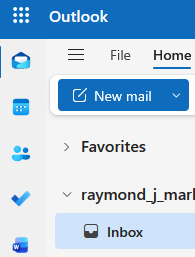
In Firefox, to send an email, you click on the NEW EMAIL button in the tool bar and the email app appears. When you click on the TO button to add email addresses, the ADD RECIPIENT page appears and a list of people and their email addresses normally appear.
THERE IS NO LIST OF PEOPLE AND EMAIL ADDRESSES. They have been moved to the PEOPLE folder on the left side tool bar below the top MAIL icon. The email list in the PEOPLE folder is still in tact
My question is how do I correct this error which appears to have happened during an update.
One would think if you highlight the PEOPLE email list it could be moved back to the ADD RECIPIENT list but that does not appear to be possible.
What is the solution????????
Alle Antworten (3)
This is your fourth post on this. Continuing to post it does NOT get it fixed. You are using OUTLOOK, not THUNDERBIRD. You are in the WRONG FORUM. There is a Microsoft forum at https://techcommunity.microsoft.com/category/Outlook
I got here via the Firefox help link. The header above states Mozilla Support!
I was recently given this link by another support member: mozilla.org/en-US/questions/firefox and you have given me the above link.
So far, no answer????????
Firefox is assuming that, because you use firefox for a browser, that you use thunderbird for email. Continuing to post here only delays getting your problem resolved. What you are posing is a question for OUTLOOK.