


Thunderbird Mobile Gmail setup issue

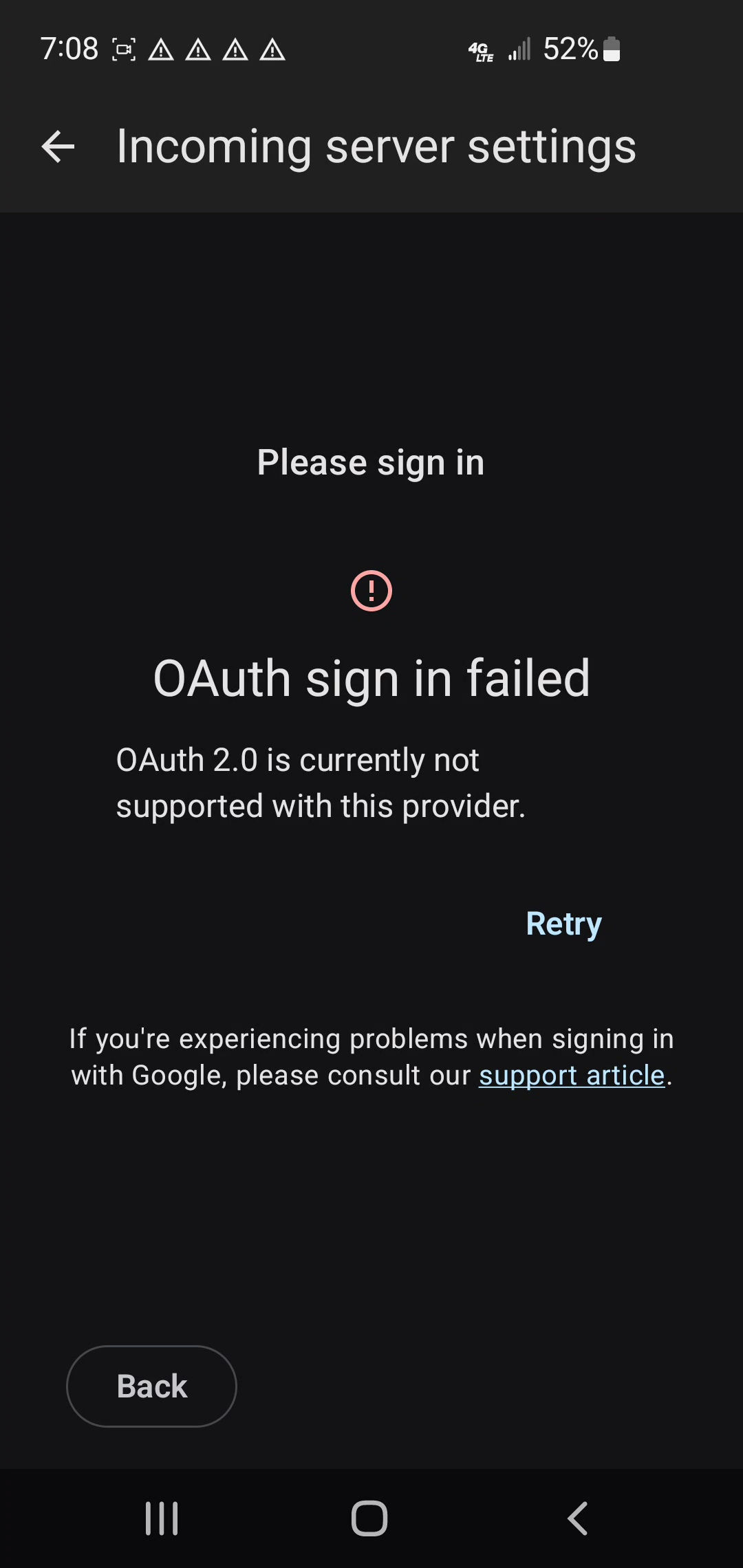
On Samsung S10e, after install of ThunderBird mobile, transfer of email setup from laptop via QR code gets the message shown in attachment when setting up gmail accounts. Laptop has no issues with ThunderBird accessing gmail accounts. Please describe full process to access gmail on TB mobile when this message appears. Thanks, Malc
Alle Antworten (1)

Thunderbird for Android doesn't support OAuth with pop3 connections. I suspect your desktop is using POP3 and being imported on TB mobile via QR code.
Imap is the modern and recommended protocol.
To setup Imap
You should setup the gmail account manually, instead of using the QR code. If your still on the first time setup wizard, tap 'get started' and skip step 1 & 2.
- Tap the top left menu button to open the side bar.
- Tap settings > add account.
- Enter your email address
- Imap settings will be automatically found & configured
- Click the sign-in with google button. Login to the webpage.
- Grant TB Mobile permission to access your emails.
To remove an account.
- Tap the top left menu button to open the side bar.
- Tap settings.
- Tap the account name.
- Tap the 3 dot menu (top right).
- Tap remove account.
To continue using pop3
You will need to setup an app password via gmail's webmail settings page. https://support.google.com/mail/answer/185833?hl=en
Once you have the app password ...
Follow step 1 to 4 above to add the account.
- On the configuration found box, click the down arrow.
- Click edit configuration.
- Change protocol = Pop
- Change server = pop.gmail.com
- Change port = 995
- Change authentication = normal password.
- Enter your new app password in the password field.
- Click next to complete the account setup.
You can view and edit the configuration of an exiting account by navigating to ...
- Settings > account name > fetching mail > incoming server
- Settings > account name > sending mail > outgoing server
Geändert am von Platform34