


Windows 10 reached EOS (end of support) on October 14, 2025. For more information, see this article.

Hilfe durchsuchen

Vorsicht vor Support-Betrug: Wir fordern Sie niemals auf, eine Telefonnummer anzurufen, eine SMS an eine Telefonnummer zu senden oder persönliche Daten preiszugeben. Bitte melden Sie verdächtige Aktivitäten über die Funktion „Missbrauch melden“.

Weitere Informationen

FF network settings goofed up

  • Keine Antworten
  • 0 haben dieses Problem
  • 24 Aufrufe
Weitere Optionen

On windows 10, Firefox Browsing/surfing was slow so I did netsh winsock reset and ip reset etc.

But thereafter few sites in-page notifications aren’t loading properly like facebook notifications, forum notifications, amazon page etc.

Nothing works irrespective of cookie or entire history deletion.

I had to fiddle with the networking settings few months back so unsure what are the stock FF settings- what they should be like. I wasn’t able to find on google.

I did performed a FF refresh and even created a now profile and that works absolutely fine!

But the moment I log into my FF cloud account for re-syncing all add-ons, bookmarks etc and dang the issue reverts. So I think 110% the FF account sync is restoring back the network settings I did some time ago overriding the default ones hence the good up.

All other browsers like edge/chrome are working fine.

What I want is-

   * The default FF network settings which I can correct and re-sync back to my FF cloud account.
   * Or a way to only restore bookmarks and extensions/add-ons and nothing else from the cloud account.
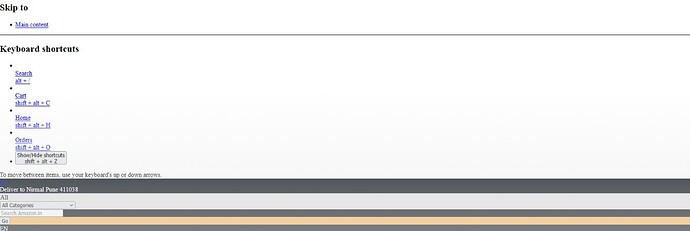
On windows 10, Firefox Browsing/surfing was slow so I did netsh winsock reset and ip reset etc. But thereafter few sites in-page notifications aren’t loading properly like facebook notifications, forum notifications, amazon page etc. Nothing works irrespective of cookie or entire history deletion. I had to fiddle with the networking settings few months back so unsure what are the stock FF settings- what they should be like. I wasn’t able to find on google. I did performed a FF refresh and even created a now profile and that works absolutely fine! But the moment I log into my FF cloud account for re-syncing all add-ons, bookmarks etc and dang the issue reverts. So I think 110% the FF account sync is restoring back the network settings I did some time ago overriding the default ones hence the good up. All other browsers like edge/chrome are working fine. What I want is- * The default FF network settings which I can correct and re-sync back to my FF cloud account. * Or a way to only restore bookmarks and extensions/add-ons and nothing else from the cloud account.
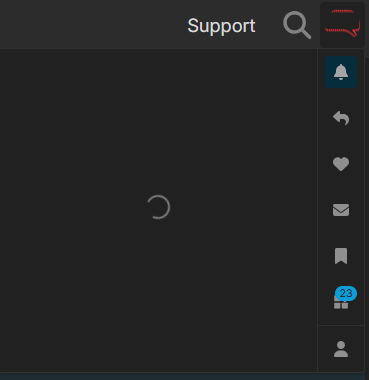
Angefügte Screenshots

Sie müssen sich mit Ihrem Benutzerkonto anmelden, um auf Beiträge zu antworten. Bitte stellen Sie eine neue Frage, wenn Sie noch kein Benutzerkonto haben.