

Dieses Thema wurde archiviert.
Bitte stellen Sie eine neue Frage, wenn Sie Hilfe benötigen.

Archiviert
Importing data

I've usede Safari for years, but want to try Firefox. I've tried to import data, bookmarks and so from safari, but can't do it. Firefox says: Select the Safari file. But which one? And where do I find it? I've find the app Safari – but there's a lot of files underneath it.
I've usede Safari for years, but want to try Firefox. I've tried to import data, bookmarks and so from safari, but can't do it. Firefox says: Select the Safari file. But which one? And where do I find it? I've find the app Safari – but there's a lot of files underneath it.
Alle Antworten (3)
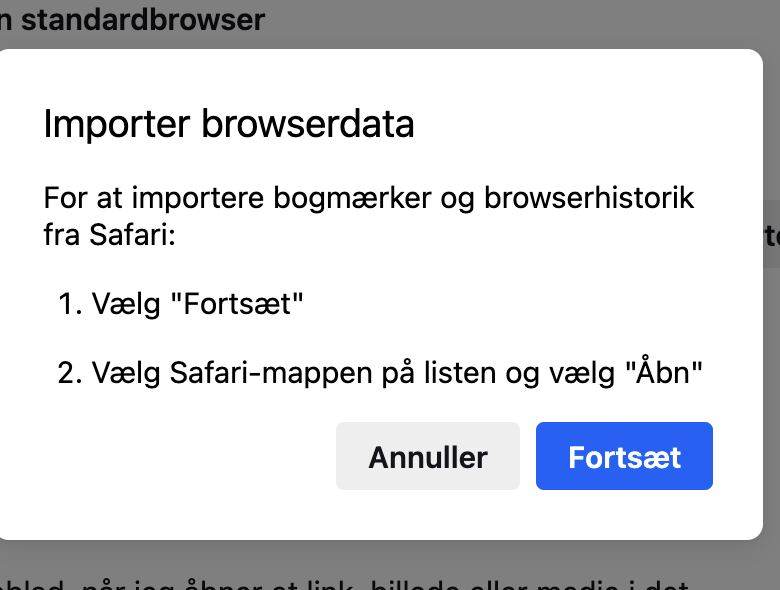
Hi Denys Where I stumble is this message. Which file am I suppossed to open? If I try to find the Safari file on my Mac, I can't select that. I can open it and then I'll find a lot of sub-files. Which of them do I select? Or must I just skip this step and export from Safari?
Hi,
As far as I understand, you need to choose the Safari folder, not a single file.