

Dieses Thema wurde archiviert.
Bitte stellen Sie eine neue Frage, wenn Sie Hilfe benötigen.

Gelöst
Archiviert
Re-activation of pop up windows in agenda

Hello, I probably desactivated by mistake the reminder pop up window for event and tasks in the agenda. So that i do not get any warning 1 day before the event as specified in the creation of the event. How can i re-instate this alarm ? Tks brds
Hello,
I probably desactivated by mistake the reminder pop up window for event and tasks in the agenda.
So that i do not get any warning 1 day before the event as specified in the creation of the event.
How can i re-instate this alarm ?
Tks
brds
Alle Antworten (3)
Ausgewählte Lösung
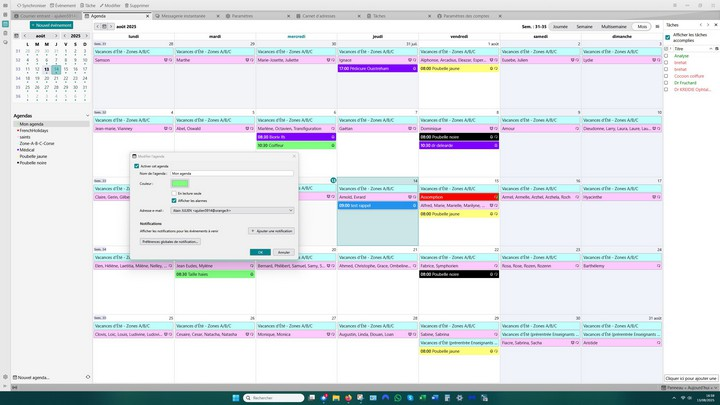
I think this will work:
- click to calendar
- highlight and rightclick the calendar listed on left side of screen.
- click properties and tick the reminder box
Hello David, The reminder box is ticked, but I still have no popup window. Thanks for your help
Problem solved by uninstalling and re-installing TB. Thanks to everybody