


Firefox 133.0 on Intel Mac does not show any extensions on toolbar

I did a search to try and fix this. Suggestions included, checking if Private Windows are on, Customizing Toolbar, making sure all extensions are enabled and Refresh Firefox, all of which I did with no results. Before I go nuclear and uninstall/install Firefox, are there any other suggestions to solve this issue?
Alle Antworten (2)
Look here. see screenshot
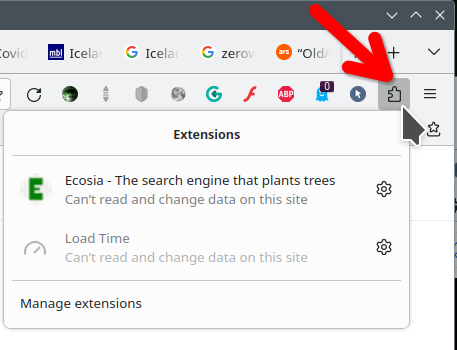
I appreciate your reply, however, I find nothing in the Manage Extensions that would allow me to pin the extension to the toolbar. I have an identical computer at a different location without this issue. FWIW, I won't have access to the problem computer for a few months as I'm back at my location that has the expected behavior of showing extensions in the toolbar. If anyone can shed more light on the problem, I'd appreciate it for the future